Imagine asking an AI assistant for the latest tax deduction rules for your small business. It gives you a confident, detailed answer. You file your taxes based on that info. Two weeks later, you find out the rule changed in March, but the AI was pulling from data frozen in January. Or worse, it made up a regulation entirely because it couldn't find a real one. This is the hallucination risk that plagues generative AI today. Users don't just need answers; they need to know if those answers are real, current, and backed by something solid.
Trust isn't built by saying "I am accurate." It's built by showing your work. In user interface design for generative AI, transparency is the new currency. If you want users to rely on your AI tool without second-guessing every sentence, you have to change how you present information. The most effective way to do this is through specific UI patterns that expose sources and timestamps. These aren't just nice-to-have features; they are essential safeguards against misinformation and user frustration.
The Psychology of Calibrated Trust
We often think of trust as a binary state: you either trust the AI or you don't. But in reality, trust needs to be calibrated. If a user trusts an AI too much, they accept hallucinations as facts. If they trust it too little, they ignore useful insights and abandon the tool. The goal of trustworthy UI design is to hit the sweet spot in the middle.
Research into AI user experience shows that credibility signals-visual cues that tell a user where information comes from-are what drive this calibration. When an interface hides its reasoning, users fill in the blanks with their own assumptions, which usually leads to overconfidence. By exposing the mechanics behind the output, you hand control back to the human. You’re not just giving them a result; you’re giving them the context to evaluate that result themselves.
This shift requires moving away from black-box outputs. Instead of a clean, unadorned paragraph of text, the interface must become a layered document. Think of it like a news article with footnotes, rather than a tweet. The complexity increases slightly, but the reliability skyrockets. For high-stakes domains like healthcare, finance, or legal advice, this distinction is the difference between a helpful tool and a liability.
Displaying Data Sources Inline
The most direct way to combat hallucination is to cite sources. However, slapping a list of URLs at the bottom of a response doesn't work well for conversational interfaces. It breaks the flow and forces the user to scroll back and forth. The best practice is inline citation using progressive disclosure.
Look at how tools like Google’s NotebookLM handle this. When the AI generates an answer based on uploaded documents, it adds superscript numbers or small icons next to key claims. Clicking these reveals a tooltip or a collapsible panel showing the exact snippet from the source document. This keeps the main text readable while providing immediate verification. The user can see exactly which part of the source material supports the AI’s statement.
If you are building an enterprise dashboard or a research assistant, implement this pattern early. Use visual hierarchy to distinguish between primary sources (like peer-reviewed studies or official company docs) and secondary interpretations. A simple color code or icon system can help users quickly identify authoritative references versus general web content. This reduces the cognitive load required to verify facts.
- Inline Footnotes: Small, clickable markers within the text that expand to show the source snippet.
- Tooltips: Hover-over elements that provide quick access to source metadata without leaving the current view.
- Collapsible Panels: Sections below the main answer that detail the full reference list, allowing deep dives for skeptical users.
Disclosing Training Data Scope
Citing specific sources for a single answer is crucial, but users also need to understand the broader boundaries of the AI’s knowledge. This is where disclosing training data scope becomes vital. Many users assume that because an AI speaks fluently, it knows everything. They don’t realize that the model might be trained only on public domain images, or only on documents from before 2023.
Adobe Firefly offers a strong example here. They explicitly state that their Generative Fill feature is trained on stock imagery, openly licensed work, and public domain content. This upfront disclosure manages expectations. Users know they won’t get copyrighted celebrity faces, but they also feel safer knowing the content is legally clear. Similarly, if your AI is trained on internal company data, make that visible. A small badge stating "Based on internal HR policies from Q1 2025" tells the user exactly what universe of knowledge the AI is drawing from.
This pattern prevents the "black box" feeling. When users understand the limits of the data, they stop asking questions outside those limits or interpreting answers beyond their intended scope. It turns a potential error into a known constraint.

Visualizing Model Confidence
Not all AI outputs are created equal. Some answers are derived from hard facts with near-100% certainty. Others are probabilistic guesses based on patterns. Treating both types of output with the same visual weight is a design failure. You need to convey model confidence visually.
Confidence scores act as a warning label. If the AI is unsure, the interface should reflect that hesitation. This could be a subtle shading difference, a lower opacity for the text, or an explicit percentage score like "85% Confidence." While displaying raw percentages can sometimes confuse non-technical users, qualitative indicators work better for general audiences. Labels like "Highly Likely," "Possible," or "Speculative" paired with distinct visual styles help users gauge reliability instantly.
In recommendation engines, this might look like a "Why this recommendation?" link that explains the logic trail. In a chatbot, it might mean bolding the parts of the answer that are fact-based and italicizing the parts that are inferential. By differentiating certainty levels, you empower the user to decide how much weight to give each piece of information. This directly mitigates the risk of acting on low-confidence hallucinations.
Timestamps and Last Updated Dates
A source is useless if it’s outdated. In fast-moving fields like technology, medicine, or finance, the age of the information is just as important as its origin. This is why displaying "Last Updated" dates is non-negotiable for trustworthy AI.
However, simply showing when the AI generated the response isn't enough. You need to show when the underlying data was last refreshed. If an AI says, "The current interest rate is 5%," but the data feed hasn't updated since last month, that’s misleading. The UI should display two distinct temporal signals:
- Generation Time: When the AI processed the query (e.g., "Generated on June 4, 2026").
- Data Freshness: When the source material was last verified or updated (e.g., "Data sourced from reports updated May 30, 2026").
For batch outputs, such as weekly analytics reports or scheduled medical assessments, version tracking is critical. Interfaces should allow users to compare current insights with previous versions. If a forecast changes, the UI should highlight what changed and why. This creates a history trail that builds long-term trust. Users learn that the system evolves and corrects itself, rather than remaining static or arbitrarily changing.
Avoid ambiguous terms like "recently" or "current." Be specific. If a dataset updates daily, say so. If it updates monthly, say so. Clarity in timing expectations prevents users from assuming real-time accuracy when none exists.
Chain of Thought Display
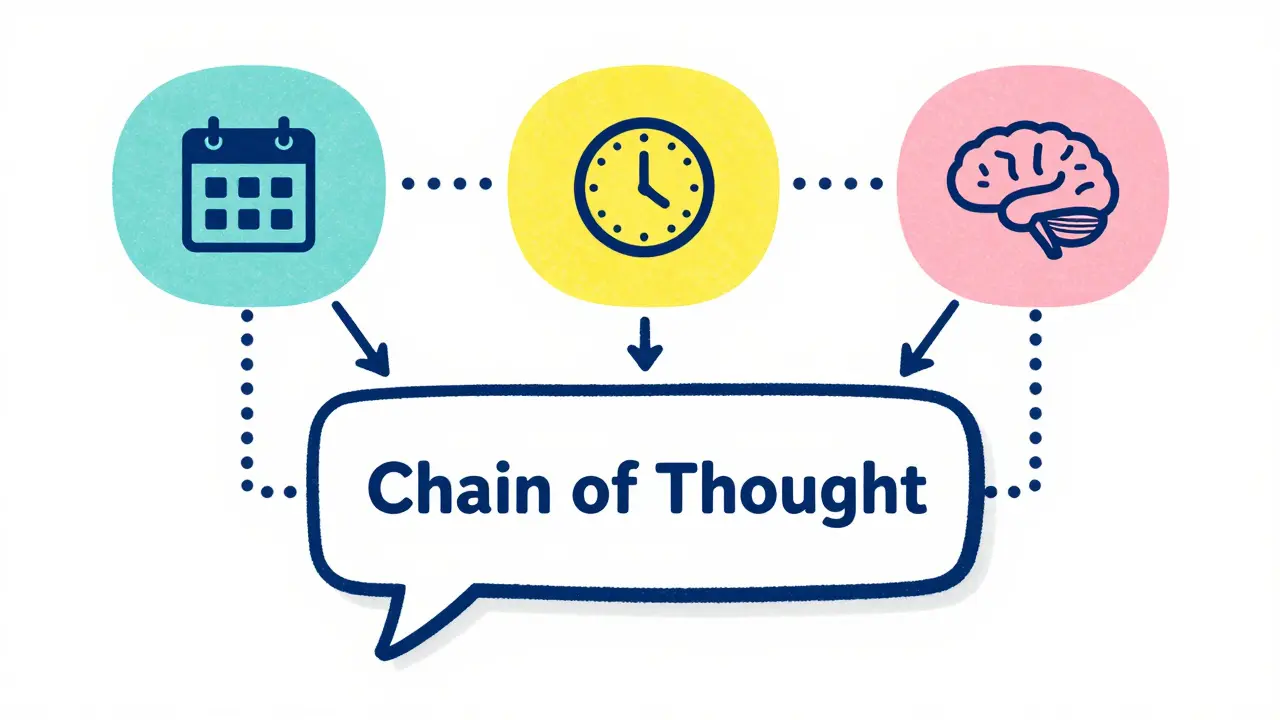
Finally, consider revealing the reasoning process itself. This is known as the Chain of Thought (CoT) display. Instead of just showing the final answer, the UI briefly shows the steps the AI took to get there. This doesn't mean dumping raw code or complex vector math on the user. It means summarizing the logical path.
For example, if a user asks for a travel itinerary, the CoT display might show: "1. Checked flight availability for June 10. 2. Filtered hotels within $200 budget. 3. Cross-referenced weather forecasts." This transparency proves that the AI didn't just guess; it followed a structured process. It makes the output feel more deliberate and less random. Progressive disclosure works well here too-show the summary first, and let curious users expand to see the detailed reasoning if they want to audit the logic.
Implementation Checklist for Designers
Integrating these patterns requires a shift in how you prototype and test AI interfaces. Here is a practical checklist to ensure your design promotes trust:
- Verify Source Visibility: Can the user click any factual claim and see its origin?
- Check Temporal Clarity: Are generation times and data freshness dates clearly distinguished?
- Assess Confidence Signals: Does the UI visually differentiate between high-certainty facts and low-certainty inferences?
- Review Training Scope: Is it clear what data the model has access to and what it doesn't?
- Test Reasoning Transparency: Does the Chain of Thought display simplify rather than complicate the user's understanding?
By implementing these UI patterns, you move beyond just building a smart AI. You build a responsible one. In a world saturated with synthetic content, the ability to prove authenticity and recency will be the defining feature of successful generative AI products.
Why are source citations important in generative AI interfaces?
Source citations are crucial because they allow users to verify the accuracy of AI-generated information. Since generative AI models can hallucinate or produce incorrect facts, citing sources provides a trail for users to check the original data. This transparency builds trust and helps prevent users from relying on false information, especially in high-stakes fields like healthcare or finance.
How should last-updated dates be displayed in AI outputs?
AI outputs should display two types of dates: the time the response was generated and the date the underlying source data was last updated. This distinction is vital because an AI might generate a response today using outdated information. Clear timestamps help users assess the relevance and freshness of the data, ensuring they don't act on stale facts.
What is the Chain of Thought (CoT) display pattern?
The Chain of Thought display is a UI pattern that reveals the logical steps an AI took to arrive at its conclusion. Instead of just showing the final answer, it summarizes the reasoning process, such as filtering criteria or cross-referencing data. This transparency helps users understand the basis of the AI's decision and fosters greater confidence in the output.
How can UI designers convey model confidence to users?
Designers can convey model confidence through visual cues like color coding, opacity levels, or explicit labels (e.g., "High Confidence" vs. "Speculative"). Differentiating between certain facts and probabilistic guesses helps users calibrate their trust. For instance, high-confidence statements might appear in bold, while uncertain inferences could be italicized or accompanied by a warning icon.
Why is disclosing training data scope necessary for trustworthy AI?
Disclosing training data scope informs users about the boundaries of the AI's knowledge. It clarifies what data the model was trained on (e.g., public domain images, internal company docs) and what it excludes. This manages user expectations, preventing them from asking questions outside the model's expertise and reducing the risk of misinterpreting the AI's capabilities.