You’ve been staring at a wall of red text for forty-five minutes. The stack trace is deep, the error message is cryptic, and you’re starting to question your career choices. This is where Error-Forward Debugging changes the game. It’s not just about copying an error into ChatGPT; it’s a structured method of feeding detailed execution contexts-stack traces, variable states, and environment data-to Large Language Models (LLMs) to get precise, actionable fixes in minutes rather than hours.
This approach moves beyond simple Q&A. By treating the stack trace as a narrative of failure, you give the AI the full context of what went wrong. Recent benchmarks show that engineers using this technique reduced debugging time for complex issues by over 60%. But how do you actually do it without getting hallucinated nonsense? Let’s break down the workflow, the tools, and the pitfalls.
What Exactly Is Error-Forward Debugging?
Error-Forward Debugging is a development practice where developers systematically provide comprehensive runtime error data, specifically stack traces and contextual metadata, to an LLM to generate root cause analysis and code corrections. Unlike traditional debugging, where you manually trace each function call, this method leverages the LLM’s ability to pattern-match against millions of known code structures and error patterns.
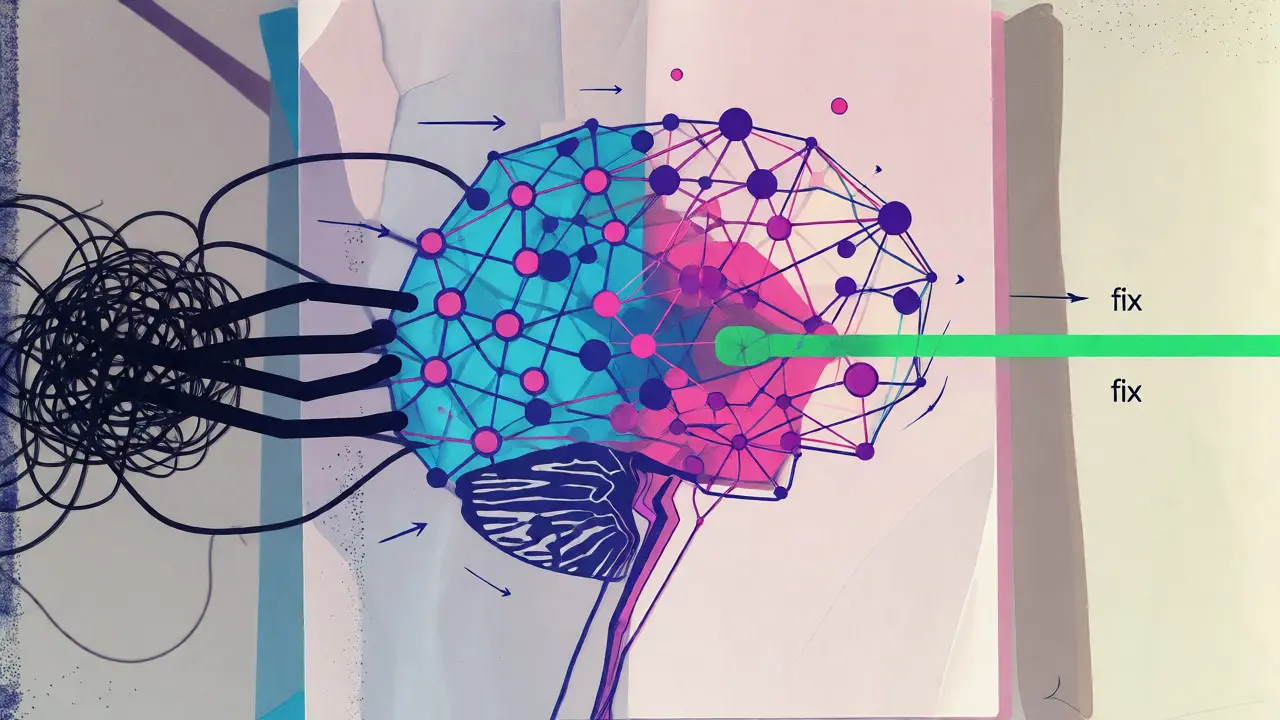
The core idea relies on the structure of the stack trace itself. A stack trace records the sequence of function calls leading up to an exception. It’s a Last In First Out (LIFO) log. When you feed this to an LLM, you aren’t just giving it an error code like `NullPointerException`. You’re giving it the entire journey the program took before crashing. The model can see which methods were called, with what parameters, and in what order. This context allows the AI to pinpoint not just *where* the error happened, but often *why* it happened, especially when combined with relevant code snippets.
The Technical Pipeline: From Crash to Fix
You can’t just paste raw text and hope for the best. Effective Error-Forward Debugging follows a specific pipeline to ensure the LLM has enough signal and not too much noise.
- Capture Comprehensive Traces: Start by ensuring your application outputs debug symbols. In .NET, for example, you might use `new StackTrace(true)` to include file paths and line numbers. Without these details, the LLM is guessing blind.
- Enrich with Contextual Metadata: A stack trace alone lacks environmental context. Add information about the execution environment (CLI, VSCode, Docker), machine identifiers, timestamps, and recent configuration changes. Tools like Raygun or Symflower automate this enrichment, tagging errors with version control hashes and user IDs.
- Prompt with Structure: Don’t just dump the trace. Use a prompt template that defines the role (e.g., "You are a senior Java engineer"), provides the stack trace, includes the relevant source code snippet, and asks for specific output formats (e.g., "Provide the root cause, the fix, and a unit test").
- Analyze and Validate: Review the LLM’s suggestion. Does it make sense given your architecture? Apply the fix in a sandboxed environment before pushing to production.
One critical constraint here is the context window. Complex distributed systems can generate massive traces. If your trace exceeds the LLM’s token limit (typically 8K-128K tokens depending on the model), you’ll need to chunk the data. Some advanced tools automatically segment long traces into 2K-token chunks, though this can introduce latency and potentially miss cross-segment relationships.
Why It Beats Traditional Debugging
Let’s look at the numbers. Traditional debugging involves manually reading logs, stepping through code in a debugger, and googling obscure error codes. Studies indicate this manual interpretation phase consumes 22-37% of total debugging time. Error-Forward Debugging automates this interpretation.
| Metric | Traditional Debugging | Error-Forward Debugging |
|---|---|---|
| Avg. Resolution Time (Complex Bugs) | 2.7 Hours | 59 Minutes |
| Accuracy on Unknown AST Errors | Low (Manual Search) | 4.2x Faster Resolution |
| Learning Curve | High (Requires deep framework knowledge) | Low (Proficiency in ~3.2 hours) |
| Risk of New Bugs Introduced | Low (Human verification) | Moderate (23% of fixes may introduce edge cases) |
Data from Kuldeep Paul’s benchmarking study shows median resolution times dropping from 2.7 hours to under an hour. However, it’s not magic. For domain-specific errors lacking sufficient training data, traditional tools still hold a 92% accuracy advantage over LLMs’ 68%. This means Error-Forward Debugging shines brightest in common frameworks (React, Python, Java) and struggles with niche, proprietary internal libraries unless you fine-tune or RAG (Retrieval-Augmented Generation) the model on your specific codebase.
Top Tools Implementing This Approach
Several platforms have integrated Error-Forward Debugging into their core offerings. Here’s how they differ:
- Symflower: Focuses on automated test generation and error categorization. Their v2.4.1 update introduced "REOPENED state tracking," helping teams identify if a previously fixed bug resurfaced due to regression. They excel at comparing stack traces across different code revisions.
- Raygun: Launched its AI Error Resolution feature in March 2024. It automatically prompts the LLM with the stack trace, environment, and affected code. Users report instant explanations for obscure Java stack traces, making it popular among enterprise Java shops.
- W&B Weave (Weights & Biases): Designed for AI engineering teams. It offers end-to-end tracing of LLM calls, capturing each span of work. This is crucial for debugging RAG (Retrieval-Augmented Generation) systems where the error might be in the retrieval step, not the code logic.
- LLM Exceptions (Open Source): A GitHub project that integrates directly with Jupyter Notebooks. Using the `%load_ext llm_exceptions` magic command, it analyzes stack traces in real-time. It’s ideal for data scientists who want quick fixes without leaving their notebook environment.

Common Pitfalls and How to Avoid Them
Blind trust is dangerous. Dr. Marcus Chen from Stanford’s AI Lab noted that 23% of LLM-proposed fixes introduced new edge-case vulnerabilities in safety-critical systems. Here’s how to mitigate risks:
Hallucinated Fixes: Sometimes the LLM suggests a fix that looks syntactically correct but logically flawed. Always validate suggestions against your understanding of the business logic. If the AI suggests changing a database query, check if it accounts for all indexing strategies.
Privacy Concerns: Sending proprietary code to external LLM APIs (like OpenAI or Anthropic) raises security flags. Many enterprises opt for on-premises deployment options or models hosted within their own cloud VPCs. W&B and Symflower offer these features to keep sensitive IP secure.
Overreliance by Juniors: Junior developers may accept AI suggestions without understanding them. This creates a knowledge gap. Pair Error-Forward Debugging with mandatory code reviews where the reviewer asks the junior to explain *why* the AI’s fix works. This turns debugging into a learning opportunity.
Context Window Limits: If your stack trace is huge, the LLM might truncate it, missing the root cause. Use tools that summarize irrelevant frames (like standard library calls) and focus on your application code. Some advanced setups use vector databases to retrieve only the most relevant historical traces for comparison.
Step-by-Step Workflow for Your Next Bug
Ready to try this? Follow this checklist:
- Reproduce the Error: Ensure you can trigger the bug consistently. Random bugs are hard to debug even for AI.
- Extract the Full Stack Trace: Copy the complete trace, including nested exceptions. Do not edit out "irrelevant" lines yet.
- Gather Context: Note the branch name, recent commits, and any environment variables involved.
- Prompt the LLM: Use a clear structure:
- Role: "Act as a senior backend engineer."
- Input: [Stack Trace] + [Relevant Code Snippet].
- Constraint: "Do not change the API interface. Explain the root cause first."
- Review and Test: Apply the suggested patch locally. Run your existing test suite. Write a new unit test that fails before the fix and passes after.
- Commit with Context: Include the LLM’s explanation in your commit message or PR description for future reference.
This method isn’t about replacing developers. It’s about removing the tedious part of debugging-the manual correlation of logs and code-so you can focus on architectural decisions and creative problem-solving.
Does Error-Forward Debugging work for all programming languages?
It works best for languages with verbose, well-documented stack traces like Java, C#, Python, and JavaScript. Languages with minimalistic error messages or compiled binaries without debug symbols (like some C++ builds) require extra effort to extract meaningful context. The quality of the fix depends heavily on the LLM's training data for that specific language and framework.
Is it safe to send my source code to public LLM APIs?
Not always. Public APIs may use your data for training. For proprietary code, check the provider's privacy policy. Enterprise plans often guarantee zero-data-retention. Alternatively, use local LLMs (like Llama 3 via Ollama) or private cloud deployments to keep your code entirely within your infrastructure.
How much does this cost compared to hiring more developers?
API costs are negligible compared to salary. A typical debugging session might cost cents per request. The ROI comes from time savings. If a tool saves a $100/hour engineer two hours a week, it pays for itself immediately. Plus, it reduces burnout associated with tedious debugging tasks.
Can LLMs fix logic errors, not just syntax errors?
Yes, but with caveats. LLMs are great at spotting off-by-one errors, null pointer exceptions, and incorrect API usage. They struggle with complex business logic errors where the intent isn't obvious from the code alone. Providing comments or documentation alongside the code helps the LLM understand the intended behavior.
What if the LLM gives me the wrong fix?
This happens in about 18-20% of cases. Treat LLM suggestions as drafts, not final answers. Always run tests. If the fix fails, refine your prompt by adding more context or explicitly stating constraints. Iterative prompting often yields better results than a single shot.