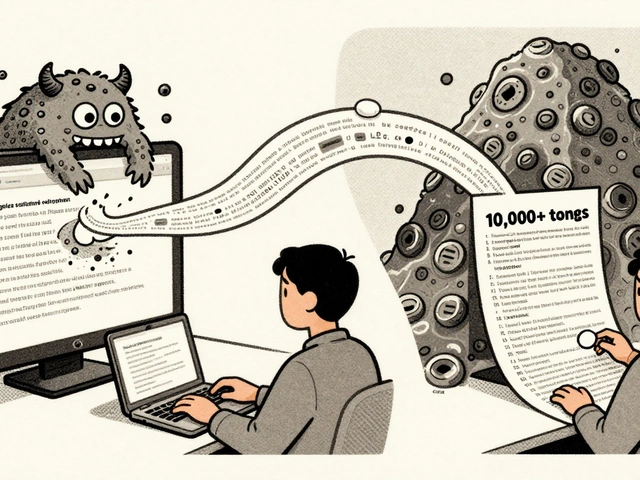
You’ve probably been there. You type a quick prompt into your AI assistant, hit enter, and watch it spit out fifty lines of Python that look... okay. But then you try to run it, and the database connection is hardcoded, there are no error handlers, and the variable names are a mess of data1 and temp2. You spend more time refactoring than you would have spent writing the code yourself.
This is the trap of early "vibe codinga development methodology where developers use natural language prompts to guide AI in generating code, focusing on high-level intent rather than low-level syntax." It feels magical until you realize the magic has no foundation. The solution isn’t to stop using AI; it’s to change how you talk to it. Enter architecture-first promptinga structured approach to AI coding that defines system constraints, security requirements, and data structures before requesting code generation.
The Problem with "Just Build It" Prompts
When you ask an LLM to "build a user login," you’re leaving too much to chance. The model picks a framework you didn’t want, chooses a database schema that doesn’t scale, and ignores security best practices because you didn’t ask for them. A study by Seroter in July 2025 found that developers using vague, feature-focused prompts needed 68% more iterations to get deployable code compared to those who started with architectural specs.
Think of it like hiring a contractor. If you just say, "Build me a house," you might get a shack or a mansion, but you definitely won’t get what you actually need. Architecture-first prompting gives the blueprint first. You define the walls, the plumbing, and the locks before asking for the bricks.
The Anatomy of an Effective Template
So, what does a good template look like? It’s not just about adding more words. It’s about structure. Based on analyses from Emergent and Base44, effective prompts consistently include six specific components. If you miss one, the output quality drops significantly.
- Single Clear Objective: One sentence stating exactly what we are building. No fluff.
- User Actions, Not Tech Specs: Describe what the user does, not just what the code is. "User resets password via email link" is better than "Implement JWT token validation."
- Bullet-Point Requirements: Break down features into discrete, testable items.
- Concrete Examples: Show input/output pairs. "Input: invalid email -> Output: Error 400 with message 'Invalid format'."
- Explicit I/O Contracts: Define exactly what goes in and what comes out.
- Integration Declarations: List external services (Stripe, AWS S3) upfront so the AI knows what dependencies to import.
Here’s the difference. A bad prompt says: "Make a login page." An architecture-first prompt says: "Build a stateless authentication microservice using FastAPI and PostgreSQL. Enforce bcrypt hashing for passwords. Return JSON responses with standard HTTP codes. Include CORS headers for mobile clients. Generate unit tests using pytest for all endpoints."
The Four Layers of Quality
To really lock this down, you need to think in layers. Most failures happen because we forget to specify non-functional requirements. We care about speed and security, but we rarely tell the AI about them. A robust template organizes these constraints into four distinct zones, often referred to as the "Blueprint, Walls, Engine, and Assembly Line" framework.
| Layer | Focus Area | Prompt Instruction Example |
|---|---|---|
| Blueprint & Foundation | Maintainability & Structure | "Use modular file structure. Separate business logic from controllers. Follow PEP8 standards." |
| Walls & Locks | Security & Reliability | "Validate all inputs against SQL injection. Use parameterized queries. Implement rate limiting." |
| Engine & Plumbing | Performance & Observability | "Add logging for all errors. Ensure DB queries are optimized for N+1 problems. Set timeout limits." |
| Assembly Line | Deployment & Consistency | "Include Dockerfile. Specify environment variables required. Add health check endpoint." |
Notice how each layer addresses a different risk. If you skip the "Walls," you get insecure code. If you skip the "Engine," you get slow code. By explicitly calling out these layers in your prompt, you force the AI to consider them during generation, not after you’ve already deployed.
Real-World Implementation: From Vague to Precise
Let’s look at a concrete example involving Supabase and Next.js. This is a common stack for modern web apps. Without architecture-first thinking, you might ask: "Create a dashboard for tracking sales." The result? Probably a single giant component with messy state management.
With an architecture-first template, you’d write something like this:
Context: Next.js 14 App Router application with Supabase backend.
Objective: Create a Sales Dashboard page.

Architectural Constraints:
1. Data Fetching: Use Server Components for initial load. Use SWR for client-side updates.
2. State Management: Keep state local to components. No global Redux unless necessary.
3. Security: Filter data based on user role stored in Supabase Auth metadata.
4. UI: Use Tailwind CSS. Mobile-first responsive design.
5. Error Handling: Wrap async calls in try/catch blocks. Display toast notifications on failure.

Output Requirements:
- File: app/dashboard/page.tsx
- File: components/SalesChart.tsx
- File: lib/supabase/client.ts (if not present)
- Include TypeScript interfaces for all props and data shapes.
The difference is night and day. The second prompt tells the AI exactly how to handle data fetching (Server vs. Client), which is a common source of bugs in Next.js. It also specifies security context, ensuring the AI doesn’t fetch all sales data regardless of who is logged in.
Troubleshooting Common Pitfalls
Even with great templates, things go wrong. KhazP’s analysis of GitHub repositories highlights three frequent issues. First, AI ignoring attached documents. About 38% of users report this. The fix? Start your prompt with: "Read all attached documentation first. Confirm understanding before generating code." Second, overcomplication. The AI loves to add features you didn’t ask for. Counter this by adding: "Do not implement features outside the scope defined above." Third, inconsistency across team members. If everyone uses different prompts, your codebase becomes a patchwork. Store your templates in version control alongside your code.
There’s also the risk of over-constraining. Dr. Sarah Chen from MIT notes that while specificity helps, too much rigidity can block creative solutions. If you’re working on a novel algorithm, maybe let the AI figure out the implementation details. Save the strict architecture-first approach for CRUD operations, API endpoints, and infrastructure code-areas where consistency matters more than creativity.
Why Teams Are Adopting This Now
It’s not just individual developers doing this. Companies like Vercel and Rocket.new are baking these principles into their platforms. Why? Because it reduces technical debt. When every new feature starts with a clear architectural contract, you avoid the "spaghetti code" accumulation that plagues fast-moving startups. Gartner predicts that by 2027, 65% of professional teams will use some form of architecture-first prompting as standard practice.
The ROI is clear. Less time debugging means more time shipping. Plus, these prompts serve as living documentation. New hires can read the prompt history to understand why certain decisions were made. It turns your chat logs into a knowledge base.
Is architecture-first prompting only for senior developers?
No, but it requires a basic understanding of system design. Beginners can start with simpler templates that focus on file structure and naming conventions. As you learn more about security and performance, you can add those layers to your prompts.
Does this approach make AI coding slower?
Writing the prompt takes slightly longer initially, but it saves significant time in refactoring and debugging. Studies show a 37% reduction in post-generation cleanup time, which outweighs the extra minutes spent crafting the prompt.
What if the AI ignores my architectural constraints?
This usually happens when constraints are buried in long paragraphs. Move critical constraints to bullet points at the top of the prompt. Also, use negative constraints like "Do not use jQuery" or "Avoid nested callbacks" to reinforce boundaries.
Can I reuse the same template for different projects?
Yes, but you should customize the tech stack and specific integrations. Create a master template with placeholders for frameworks, databases, and external APIs, then fill them in per project.
How do I handle legacy codebases with vibe coding?
Attach relevant existing files to the prompt. Explicitly instruct the AI to match the existing coding style and patterns. For example: "Analyze utils/helpers.js and ensure new functions follow the same export pattern and JSDoc style."