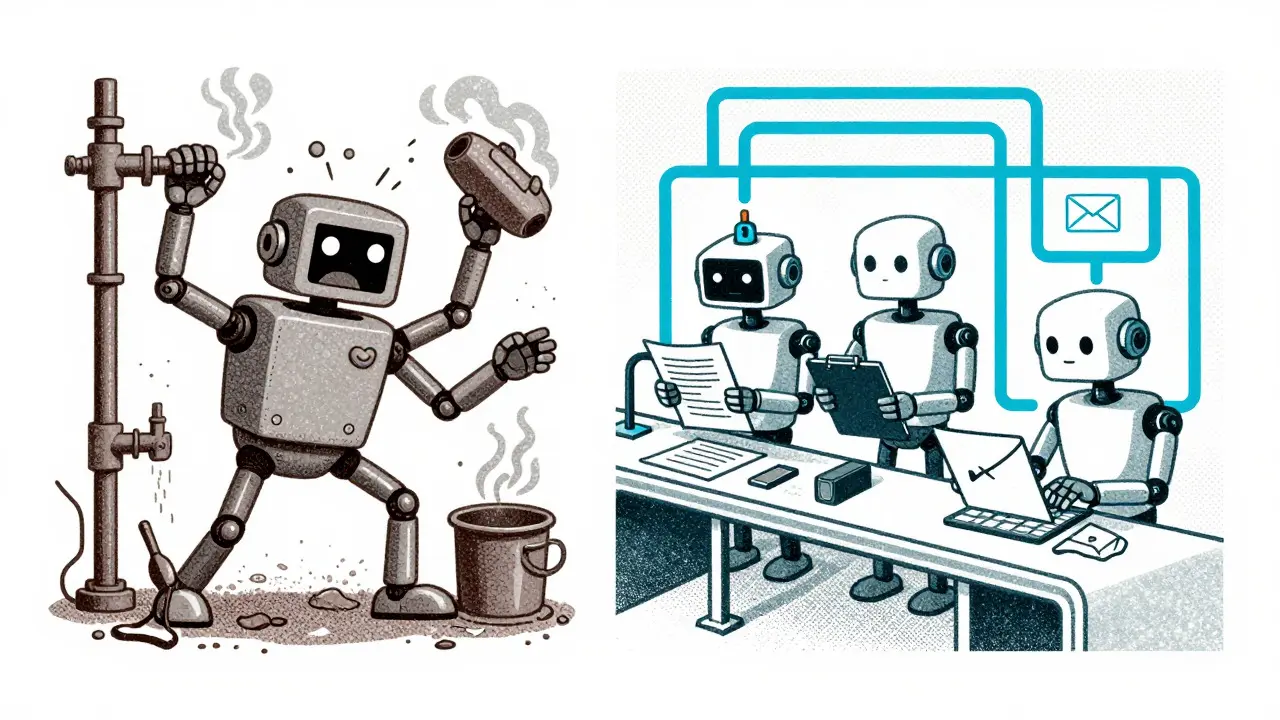
Building a single Large Language Model (LLM) to handle every task in a complex workflow is like hiring one person to cook, clean, and fix the plumbing simultaneously. It might work for a quick fix, but it rarely scales. As AI systems grow more sophisticated, developers are moving away from monolithic agents toward multi-agent pipelines, where specialized agents collaborate through defined workflows. The secret sauce that makes this collaboration possible isn't just the models themselves-it's the architecture governing them. Specifically, state diagrams and orchestrators that manage transitions between different stages of processing.
Without a clear map of how data moves and who handles what, your AI system becomes a black box that’s impossible to debug or trust. This guide breaks down how to use state diagrams and orchestrators to build robust, enterprise-grade LLM agent pipelines that actually work in production.
Why Monolithic Agents Fail at Scale
You’ve probably tried prompting a single LLM to "analyze this document, summarize it, check for compliance, and draft an email." It sounds simple, but in practice, the model often hallucinates steps, loses context, or produces inconsistent outputs. This happens because a single prompt lacks the structural integrity needed for complex logic.
The solution is the Pipeline of Agents pattern. Instead of one giant brain, you create a chain of smaller, specialized brains. One agent reads the document. Another checks for keywords. A third drafts the response. Each agent has a single responsibility. This approach mirrors modern software engineering principles like microservices, but applied to cognitive tasks.
- Single Responsibility: Each agent excels at one specific task, reducing error rates.
- Sequential Data Flow: Output from Agent N becomes input for Agent N+1.
- State Isolation: Agents don’t share internal memory; they only pass defined outputs.
- Modular Design: You can swap out a summarization agent without breaking the drafting agent.
However, connecting these agents requires more than just passing strings back and forth. You need a conductor. That’s where orchestrators come in.
The Role of Orchestrators in Multi-Agent Systems
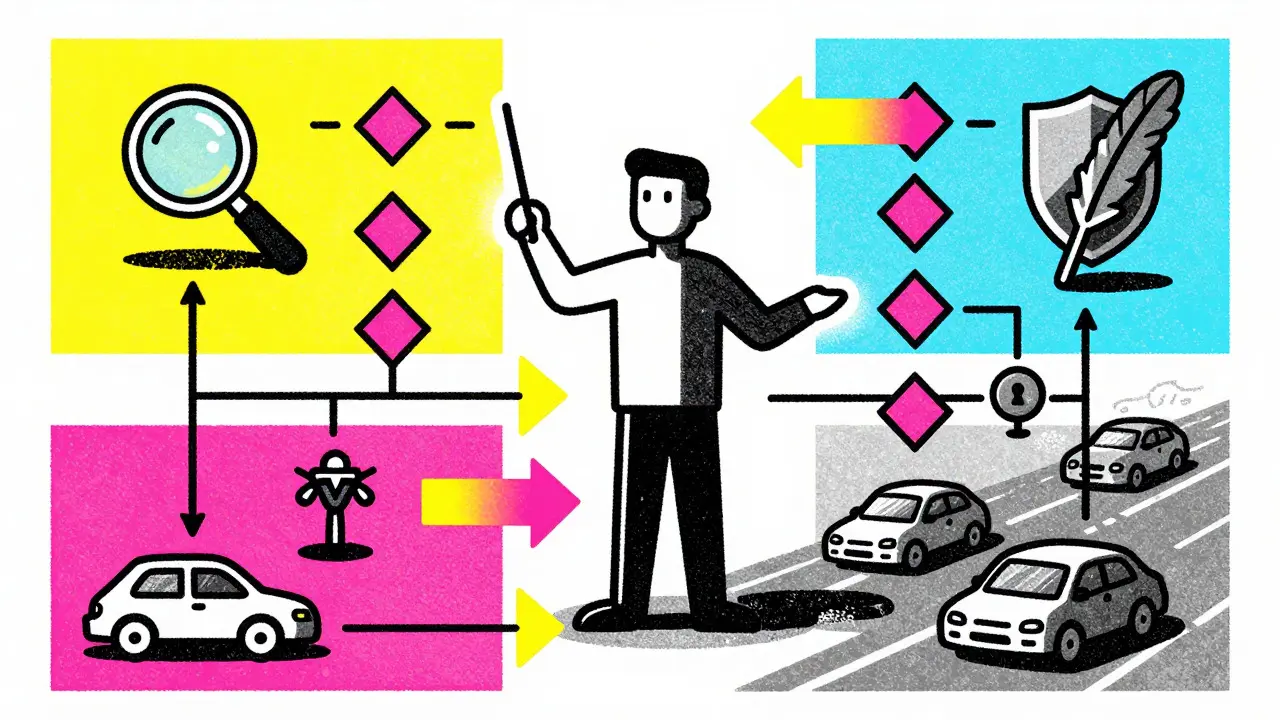
An orchestrator is the central component that coordinates agent interactions, manages workflow execution, and handles routing decisions. Think of it as the project manager for your AI team. It doesn’t do the heavy lifting itself; instead, it decides who does what, when, and in what order.
Microsoft’s Multi-agent Reference Architecture provides a blueprint for this. At its core is an orchestrator-often implemented using frameworks like Semantic Kernel-that consults a classifier for intent routing and uses a registry for agent discovery. This design ensures that if you add a new "legal review" agent later, the orchestrator knows how to integrate it without rewriting the entire pipeline.
Orchestrators also handle the messy reality of LLMs: unpredictability. They implement fallback mechanisms. If the primary agent fails to produce valid JSON, the orchestrator can route the request to a simpler model or retry with adjusted prompts. This level of control is impossible with a raw API call.
Visualizing Logic with State Diagrams
If the orchestrator is the manager, the state diagram is the visual map of the workflow, defining states, transitions, and conditions. In traditional programming, you might use flowcharts. In LLM pipelines, state diagrams are explicit definitions of where the system is, what it’s doing, and where it goes next.
A typical state diagram for an LLM agent includes several key nodes:
- Initialization: Loading context and setting up tools.
- Active Processing: The agent executes tool calls or generates text.
- Waiting: Pausing during external API calls or user input.
- Decision Points: Evaluating outputs against quality thresholds.
- Completion: Finalizing the result and saving state.
These diagrams aren’t just for documentation. In frameworks like LangGraph, the state diagram is code. You define nodes (agents) and edges (transitions), then compile the graph into an executable workflow. This means your logic is version-controlled, testable, and reproducible.
Implementing State Management with LangGraph
LangGraph has emerged as a leading framework for building stateful, multi-actor applications with LLMs. Unlike linear chains, LangGraph allows for cycles, branches, and conditional logic. This is crucial for tasks that require iteration, such as coding assistance or complex research.
Here’s how a typical implementation looks:
- Define the State: Create a Pydantic model or TypedDict that holds all shared data (e.g., user query, intermediate results, error logs).
- Add Nodes: Register functions representing each agent step. For example, a `search_node` and a `summarize_node`.
- Define Edges: Connect nodes with conditional logic. If the search returns no results, route to an `error_handler`. Otherwise, route to `summarize`.
- Compile: Use `CompiledStateGraph` to bind the structure with memory management (like `MemorySaver`) for persistence across sessions.
This approach solves the "memory loss" problem common in long conversations. By explicitly managing state, you ensure that Agent B always sees exactly what Agent A produced, even if hours have passed between steps.
Real-World Example: Cybersecurity Scanning Pipeline
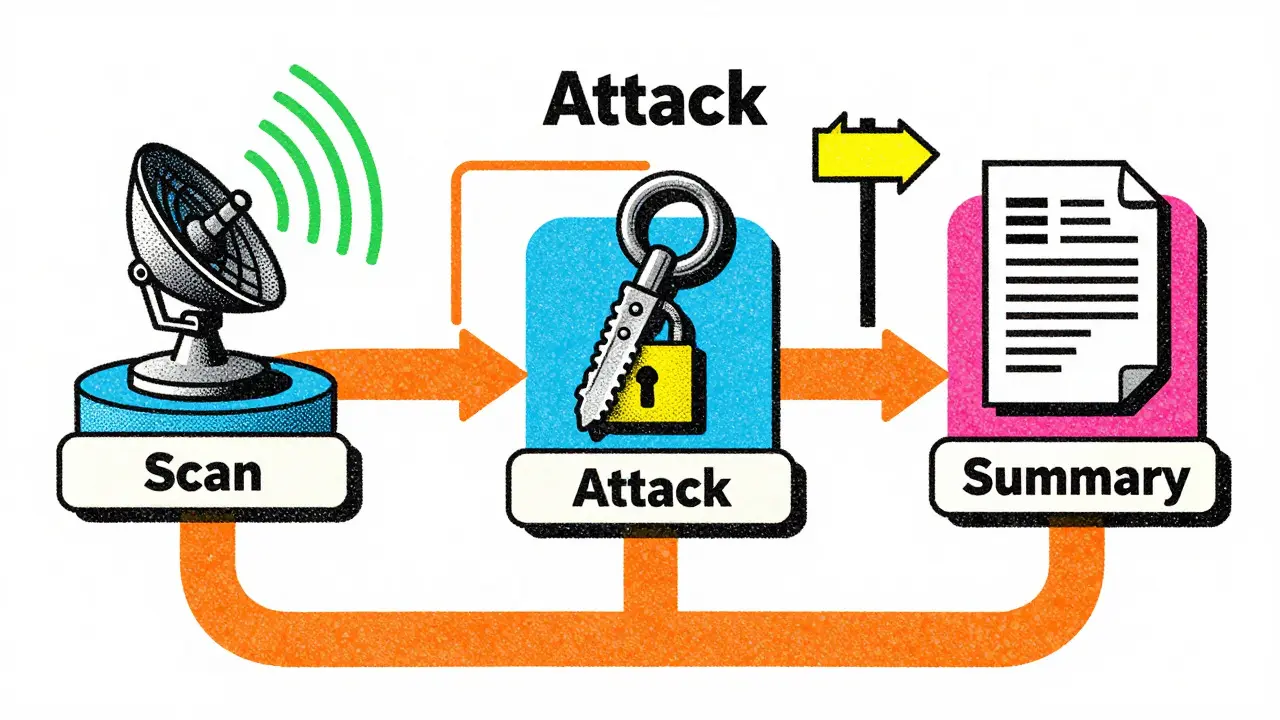
To see this in action, consider a cybersecurity scanning pipeline built with compiled sub-graphs. This system automates vulnerability assessment by chaining specialized agents.
| Node Name | Responsibility | Tools Used | Output |
|---|---|---|---|
| ScanAgentNode | Initial reconnaissance and port scanning | Nmap, curl bindings | List of open ports/services |
| AttackAgentNode | Penetration testing based on scan results | ffuf, custom scripts | Vulnerability details |
| CybersecuritySummaryNode | Generate final report | LLM summarization | PDF/Markdown report |
The state transitions follow a strict sequence: START → scan_agent → attack_agent → cybersecurity_summary → END. Crucially, the orchestrator uses ToolRouterEdge components to make dynamic decisions. If the scan finds no critical vulnerabilities, the router might skip the attack phase entirely, saving time and resources. This conditional routing is managed by examining the origin node’s output and mapping it to the appropriate target node.
Handling Iteration and Quality Control
Not all workflows are linear. Some require loops until a certain quality threshold is met. The Feynman diagramming agent is a perfect example. It synthesizes visual designs through four states: idea, plan, iterate, and render.
In this system, the LLM generates code for a diagram. If the code fails to compile or the visual score is too low, the system enters an iteration loop. It feeds error messages back into the LLM, which tries again. This continues up to a maximum threshold. Only when the output passes both compilation checks and scoring metrics does the state transition to "render."
This pattern highlights two critical features of advanced orchestrators:
- Validation Checkpoints: Explicit states where outputs are evaluated against deterministic criteria.
- Feedback Loops: Mechanisms to aggregate errors and feed them back into the generation process.
Without these, your pipeline would either produce garbage or run indefinitely. The combination of code planning and early stopping via scoring significantly reduces rollout rounds and costs.
Comparing Orchestration Frameworks
Choosing the right tool depends on your stack and requirements. Here’s how the major players compare as of 2026.
| Framework | Primary Language | State Management | Best For |
|---|---|---|---|
| LangGraph | Python | Explicit Graph-based (StateGraph) | Complex, iterative workflows with human-in-the-loop |
| Semantic Kernel | C#, Python, Java | Plugin-based orchestration | Enterprise integration with Microsoft ecosystem |
| OpenAI Functions | Any (API) | Minimal (Client-side) | Simple tool-use cases without complex state |
LangGraph shines when you need fine-grained control over state and cycles. Its ability to pause and resume execution makes it ideal for chatbots that wait for user input mid-process. Semantic Kernel, on the other hand, offers better governance and security features, making it a favorite for large enterprises integrating AI into existing .NET or Java infrastructure.
Pitfalls to Avoid in Pipeline Design
Even with great tools, bad architecture leads to failure. Here are common mistakes:
- Tight Coupling: Don’t let Agent B depend on the internal format of Agent A’s output. Use standardized interfaces (like JSON schemas) for all handoffs.
- Ignoring Latency: Sequential execution adds up. If possible, parallelize independent agents (e.g., running sentiment analysis and keyword extraction simultaneously).
- Over-Complicating State: Keep your state object lean. Storing unnecessary history increases token costs and slows down processing.
- Lack of Observability: Without logging at each state transition, debugging a failed pipeline is guesswork. Implement comprehensive tracing from day one.
Also, be wary of the "orchestrator bottleneck." If your central coordinator becomes too complex, it becomes hard to maintain. Consider splitting large pipelines into smaller, autonomous sub-pipelines that communicate via events rather than direct calls.
The Future of Agent Orchestration
As we move through 2026, the focus is shifting from "can it do it?" to "can it do it reliably and cheaply?" We’re seeing increased adoption of the Model Context Protocol (MCP), which standardizes how agents access external tools. This reduces vendor lock-in and allows agents from different frameworks to interoperate.
Future developments will likely include:
- Automated State Diagram Generation: Tools that infer optimal workflows from natural language descriptions.
- Enhanced Debugging UIs: Visual editors that let non-developers tweak agent parameters and view real-time state changes.
- Cost-Aware Routing: Orchestrators that dynamically choose cheaper models for simple tasks and reserve expensive ones for complex reasoning.
For now, mastering state diagrams and orchestrators is the most effective way to turn experimental LLM hacks into production-ready systems. Start small, define your states clearly, and let the orchestrator handle the complexity.
What is the difference between an orchestrator and a state diagram?
An orchestrator is the active software component that runs the workflow, making decisions and calling agents. A state diagram is the static blueprint or definition of that workflow, outlining the possible states and transitions. In frameworks like LangGraph, the state diagram is written as code that the orchestrator executes.
When should I use LangGraph vs. Semantic Kernel?
Use LangGraph if you need complex, cyclic workflows with detailed state management and are working primarily in Python. Choose Semantic Kernel if you are in a Microsoft-centric environment (.NET/C#), need strong enterprise governance features, or want language-agnostic plugin support.
How do I handle errors in a multi-agent pipeline?
Implement explicit error-handling nodes in your state diagram. When an agent fails, the orchestrator should route the flow to a dedicated error handler. This handler can log the issue, retry with modified parameters, or fall back to a simpler model. Never let exceptions crash the entire pipeline silently.
What is the Pipeline of Agents pattern?
It is an architectural pattern where multiple specialized LLM agents are chained together sequentially. Each agent performs one specific task and passes its output to the next. This improves reliability, modularity, and ease of testing compared to using a single monolithic agent.
Can state diagrams help reduce LLM costs?
Yes. By defining clear exit conditions and validation checkpoints, state diagrams prevent infinite loops and unnecessary retries. Additionally, orchestrators can route simple tasks to cheaper, smaller models while reserving expensive models for complex reasoning steps, optimizing overall spend.



Chandan Singh
12 August, 2026 - 05:37 AM
Look, everyone is hyping up LangGraph like it's the second coming of Christ but let's be real for a second. State diagrams are just flowcharts with extra steps and if you have to draw a diagram to understand your code, your code is probably too complex to begin with. I've been building these pipelines since before 'orchestrator' was a buzzword and honestly most of this stuff is just reinventing the wheel that we already broke in the 90s with enterprise service buses. You don't need a fancy graph library you need clean interfaces and maybe a bit of common sense which seems to be in short supply lately.
tiffany King
13 August, 2026 - 14:39 PM
This is such a fantastic breakdown! It really helps to visualize how all these pieces fit together instead of just throwing prompts at a wall and hoping something sticks. The part about single responsibility for each agent makes so much sense because trying to make one model do everything always feels like asking someone to juggle chainsaws while riding a unicycle lol. I'm definitely going to try implementing that cybersecurity pipeline example because it looks super robust and way less prone to hallucinations than my current setup. Thanks for sharing this!
Brannen Hall
13 August, 2026 - 22:46 PM
Yeah sure, great article but does anyone actually use this in production or is it just another weekend project for people who have too much time on their hands? I tried setting up a simple state machine last week and spent three days debugging why the context wasn't passing correctly between nodes only to realize I had a typo in my JSON schema. At this point I'd rather just pay the extra tokens for a bigger context window and let the LLM figure it out itself because managing state manually is a nightmare and frankly not worth the headache unless you're Google.
Brenna Gonedrman
15 August, 2026 - 14:44 PM
I am literally shaking right now because this post is exactly what I needed to see today! My brain was totally fried from trying to debug my own multi-agent system where every agent was talking over each other and creating chaos. Seeing that table comparing LangGraph and Semantic Kernel was like a lightbulb moment for me because I didn't even know Semantic Kernel existed until now. I feel so empowered to go back to my codebase and actually structure things properly instead of just winging it with messy python scripts everywhere. This guide is pure gold and I want to hug the author through the screen!
Courtney Wagstaff
17 August, 2026 - 01:32 AM
It’s wild how much mental overhead we put ourselves under when we treat AI like a magic black box instead of a tool that needs clear instructions and boundaries. I love the idea of treating agents like specialized team members who only know their specific job-it takes the pressure off any single model to be perfect at everything. Plus, visualizing the workflow with state diagrams makes it so much easier to spot where things might go wrong before they actually break in production. It’s like having a map before you start hiking through a dense forest.
Onyinyechi Nwosu
17 August, 2026 - 23:32 PM
i get it now
it makes sense to separate the tasks
thanks for explaining
Elisabeth Ballet
18 August, 2026 - 11:30 AM
Let’s talk about the pitfalls section because that is where most teams fail hard! We often ignore latency until it becomes a critical issue and then we’re scrambling to optimize parallel execution paths that should have been designed from day one. If you are building these systems remember that observability is not optional it is mandatory because without tracing every state transition you are flying blind. Don’t let your orchestrator become a bottleneck by making it too smart too soon keep it lean and modular so you can scale effectively as your user base grows.
Joanna Mucha
20 August, 2026 - 08:34 AM
The irony is palpable here isn't it? We build these elaborate structures of logic and control to tame the chaotic nature of large language models yet we end up creating even more complex systems that require their own dedicated architects to maintain. It’s a beautiful dance of futility really. One wonders if the pursuit of order in an inherently probabilistic medium is merely a projection of our human need for certainty onto machines that simply do not care about our rules. The state diagram is a comforting lie we tell ourselves to sleep at night.
Kim Edwards
22 August, 2026 - 00:15 AM
I literally screamed when I read the part about error handling because I have been burned by silent failures so many times it’s not even funny! Imagine spending hours training your pipeline only to have it crash because one agent returned a slightly different JSON format and nobody noticed until the CEO asked for the report. That is absolute drama king level stress right there and I refuse to deal with that kind of anxiety again. Explicit error nodes are my new best friends and I will never look back.
Bonnie Watt
23 August, 2026 - 16:13 PM
You guys are all missing the point completely. The problem isn't the architecture or the tools it's that developers are lazy and refuse to write proper unit tests for their prompt templates. State diagrams are just band-aids on a bullet wound caused by poor engineering practices. If you can't guarantee deterministic output from your agents then no amount of orchestration will save you from the inevitable collapse of your entire system under the weight of its own unpredictability. Wake up sheeple.