
Large language models like Llama, GPT, and Mistral are powerful-but they’re also huge. A 70B parameter model can eat up 140GB of memory just to run. That’s more than most consumer GPUs have. If you’ve ever tried running a big LLM on your laptop or even a high-end server, you’ve felt this bottleneck. The good news? You don’t need to keep all that precision. Post-training quantization lets you shrink these models without retraining them, cutting memory use and speeding up responses-sometimes by 2x or more.
What Is Post-Training Quantization (PTQ)?
Think of a neural network like a calculator that uses 16-digit precision for every calculation. Now imagine you switch to using 4 digits instead. Most of the time, the answer is still good enough. That’s the idea behind quantization: reducing the number of bits used to store each number in the model.
Traditional quantization meant retraining the model from scratch with lower precision. That’s expensive and slow. Post-training quantization changes that. You take a model that’s already trained-say, Llama 3 70B-and compress it after the fact. No need for the original training data. No need to retrain. Just run it through a calibration process, and you get a smaller, faster version.
Why does this matter? Because inference costs are killing companies. Running a 70B model in FP16 (16-bit floating point) costs roughly $0.03 per 1,000 tokens. With 4-bit quantization, that drops to $0.01. For businesses serving millions of queries daily, that’s millions in savings.
How 8-Bit and 4-Bit Quantization Work
Quantization isn’t just about cutting bits. It’s about where you cut them. Most models have weights (the learned parameters) and activations (the outputs between layers). Activations are trickier-they can spike to huge values, called outliers. If you naively quantize them, accuracy tanks.
That’s why modern PTQ methods don’t just reduce bit depth-they rethink how the numbers are handled.
- 8-bit (W8A8): Weights and activations both use 8 bits. This is the sweet spot for most use cases. It cuts memory use by half compared to FP16 and usually keeps accuracy within 0.5% of the original.
- 4-bit (W4A8): Weights go down to 4 bits, but activations stay at 8 bits. This is where the biggest gains happen-memory drops to just 0.5 bytes per parameter. But it’s harder to do without losing accuracy.
Here’s what that looks like in practice:
| Method | Memory per Parameter | Throughput Gain | Accuracy Loss (MMLU) |
|---|---|---|---|
| FP16 (Baseline) | 2 bytes | 1x | 0% |
| W8A8 (SmoothQuant) | 1 byte | 1.5-2x | <0.5% |
| W4A8 (AWQ + SmoothQuant) | 0.5 bytes | 2-3x | 1-2% |
| W4A4 (Experimental) | 0.25 bytes | 3.5x+ | 3-5% |
Notice how W4A8 keeps activations at 8 bits? That’s intentional. Activations are harder to compress than weights. So the smartest methods preserve them while squeezing weights harder.
The Three Main PTQ Methods
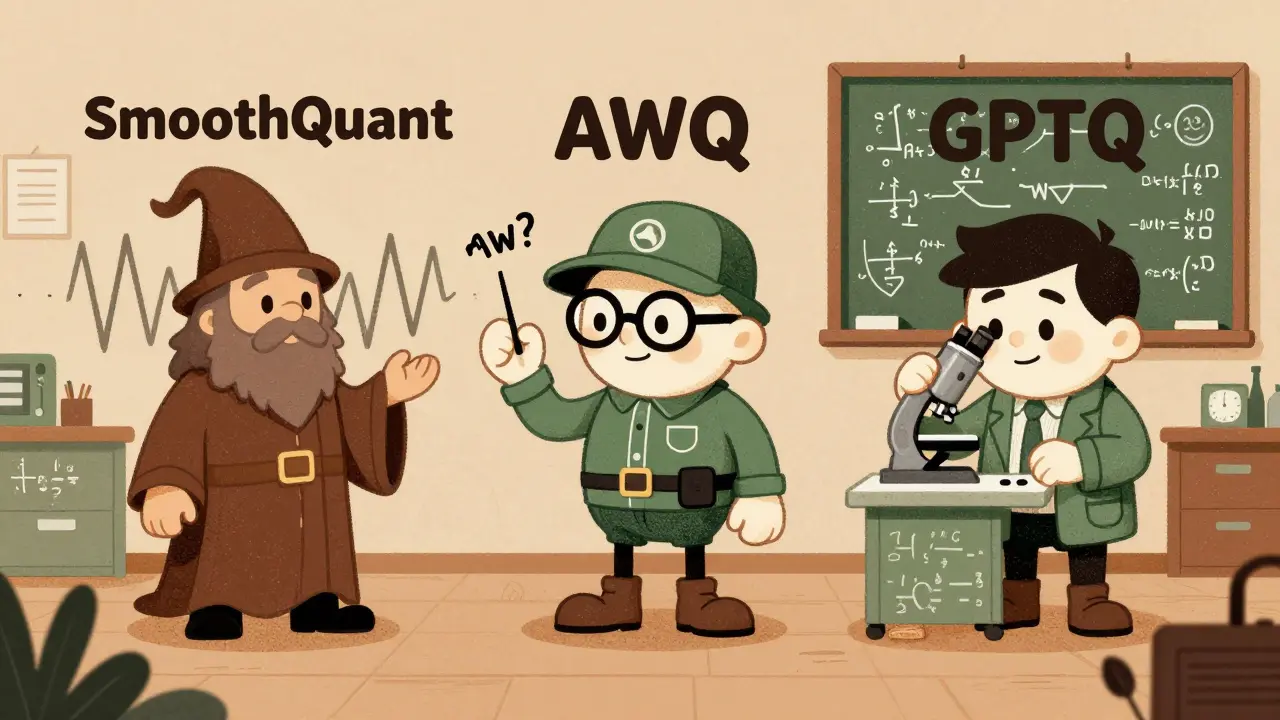
Not all quantization is created equal. Three methods dominate the field today-and each has its own strengths.
SmoothQuant: The Activation Fix
SmoothQuant, developed by MIT-IBM Watson AI Lab, solved a big problem: activation outliers. In models like OPT-13B, some activation values hit over 70. That’s like trying to fit a truck into a compact car garage. Standard quantization just crushes them.
SmoothQuant’s trick? It moves the hard part from activations to weights. Using a mathematical transformation, it smooths out those wild spikes in activations by adjusting weights. The result? You can quantize both weights and activations to 8 bits with almost no accuracy loss-even on models like Llama 70B.
It’s especially effective for models with dense attention layers. Benchmarks show it preserves 99.5% of FP16 accuracy on zero-shot tasks. If you’re using a model from Meta, Hugging Face, or Cohere, SmoothQuant is your best starting point.
AWQ: The Salient Weight Trick
AWQ, from NVIDIA, takes a different approach. Instead of smoothing everything, it figures out which weights actually matter.
Not all weights are equal. Some contribute heavily to output. Others? Barely noticeable. AWQ identifies these salient weights-the ones that align with large activation values-and keeps them in higher precision. The rest? Crushed to 4 bits.
This method shines in 4-bit quantization. On LLaMA-13B, AWQ drops accuracy by just 1.0-1.5%, while naive 4-bit quantization loses 5-10%. It’s why NVIDIA’s TensorRT Model Optimizer uses AWQ as its default for 4-bit models.
GPTQ: The Precision Engineer
GPTQ, created by Tim Dettmers, is the most mathematically rigorous. It uses second-order information-basically, how sensitive the model is to tiny changes in each weight-to decide exactly how to compress them.
This makes it slower. You need more calibration data (512+ samples for large models) and more compute. But it’s the most accurate 4-bit method available. For models like Qwen 23B and DeepSeek-R1-0528, GPTQ can hit 99% accuracy retention.
It’s not the easiest to use-but if you’re pushing for maximum performance on a tight budget, it’s worth the effort.
Real-World Performance: What You Can Expect
Let’s get practical. Here’s what real users are seeing in early 2026.
- A developer on Reddit quantized Mistral-7B using SmoothQuant + AWQ. Memory dropped from 14GB to 4.2GB. Accuracy loss? Just 2.1% on MMLU.
- On an NVIDIA RTX 4090 (24GB VRAM), users report 18-22 tokens per second with a 4-bit quantized LLaMA-70B. Without quantization? Under 5 tokens per second.
- Enterprise teams using NVIDIA TensorRT see 2.3x faster inference across the board. One SaaS company cut their monthly inference costs from $120,000 to $48,000.
But it’s not perfect. Some models still struggle. Long-context generation (over 4K tokens) can accumulate errors. Rotary position embeddings-used in models like Llama and Mistral-sometimes break under 4-bit quantization, causing 5-7% accuracy drops. That’s why many teams stick with W8A8 for critical applications.
How to Get Started
Ready to try it? Here’s how to begin:
- Choose your model. Start with something small-Mistral-7B or Llama-13B. Avoid models under 1B parameters; quantization overhead eats the gains.
- Pick your method. For beginners: use SmoothQuant for 8-bit. For 4-bit: combine SmoothQuant and AWQ.
- Calibrate with data. You need 128-256 real-world prompts. Don’t use synthetic data. Use your actual user queries or a representative subset. Using fewer than 64 samples? You’ll lose 3-5% accuracy.
- Use the right tools. Hugging Face’s Optimum library wraps all three methods (SmoothQuant, AWQ, GPTQ) in simple Python calls. NVIDIA’s TensorRT 9.0 (released Jan 2026) adds adaptive quantization-automatically switching bit-width during inference.
- Test before deploying. Run your quantized model on 50-100 real prompts. Compare outputs to the original. If accuracy drops more than 2%, reconsider.
Most engineers take 2-3 weeks to get comfortable. The learning curve isn’t steep, but the trade-offs are real. Don’t rush it.

What’s Next? The Future of Quantization
By 2027, experts predict hybrid quantization will be standard. That means combining SmoothQuant, AWQ, and GPTQ into one pipeline-automatically choosing the best method per layer.
NVIDIA’s new TensorRT 9.0 already does this. It’s called Adaptive Quantization. It watches the model’s behavior during inference and tweaks bit-width on the fly. Early tests show a 15% extra speedup over static 4-bit.
MIT-IBM also released SmoothQuant-ACT in January 2026-quantizing activations to 4 bits without losing more than 1.8% accuracy. That’s huge. It means we’re moving closer to W4A4.
But limits remain. Mixture-of-experts models (like Llama 3.1) still break under extreme quantization. And regulatory bodies like the EU AI Office now require models in healthcare and finance to stay within 2% accuracy loss. That’s a hard ceiling.
When Not to Use PTQ
Quantization isn’t magic. It has limits.
- Small models (<1B parameters): The overhead of calibration and quantization logic often makes them slower, not faster.
- High-stakes domains: Medical diagnosis, legal advice, financial trading-keep accuracy above 98%. Stick with 8-bit.
- Models with heavy outliers: If your model’s activation distribution is wildly skewed, even SmoothQuant might not save you.
- When you need interpretability: Quantization adds noise. If you need to trace why a model made a decision, stick with FP16.
Use quantization to scale-not to cut corners.
Market and Adoption
By January 2026, 63% of enterprises using LLMs had adopted PTQ-up from 29% in 2024. Gartner predicts 75% adoption by the end of 2026. Why? Cost. Inference costs are now the #1 expense for AI teams. Quantization cuts that by 40-60%.
The market is split between:
- NVIDIA TensorRT (42% share)
- Hugging Face Optimum (28%)
- auto-gptq (15%)
- llama.cpp (12%)
Most developers use Hugging Face’s tools because they’re free, well-documented, and integrate with Transformers. Enterprises lean toward TensorRT for performance and support.
And yes-it’s working. One startup in Portland reduced their LLM server costs from $8,000/month to $1,200 by switching to 4-bit quantization. They now run three models on a single A100. That’s the power of compression.




Ray Htoo
16 March, 2026 - 06:38 AM
Man, this post is a godsend. I’ve been wrestling with a 70B model on my 24GB 4090, and honestly thought I’d need to sell a kidney to afford cloud inference. SmoothQuant + AWQ dropped my memory usage from 140GB to 38GB - and it still answers like it’s got a PhD. Didn’t even need to tweak calibration data beyond the default 128 prompts. Now I’m running it locally on my gaming rig like it’s a Spotify client. The 2x throughput boost? Real. The 0.5% MMLU drop? Barely noticeable unless you’re grading essays for a PhD committee. Just don’t quantize your tokenizer - learned that the hard way.
Natasha Madison
17 March, 2026 - 03:40 AM
Of course they’re pushing this ‘quantization’ nonsense. It’s not about efficiency - it’s about control. They’re making models smaller so they can slip them onto your phone, your smart fridge, your damn toaster. Next thing you know, your toaster’s deciding if you’re ‘high-risk’ for buying bread. They call it ‘cost-saving’ - I call it surveillance in disguise. And don’t get me started on NVIDIA’s ‘Adaptive Quantization.’ That’s not AI optimization - that’s a backdoor for federal monitoring. Wake up, sheeple.
Sheila Alston
17 March, 2026 - 05:45 AM
I just have to say - this is why I’m so frustrated with the tech world. People treat quantization like it’s some kind of miracle cure, but they’re just cutting corners to make money. What happened to quality? What happened to doing things right? You’re not ‘saving millions’ - you’re sacrificing accuracy for profit. And don’t even get me started on how they’re pushing this on healthcare and finance models. People’s lives are on the line, and they’re happy with a 2% accuracy drop? That’s not innovation - that’s negligence. I’m ashamed of our industry.
sampa Karjee
18 March, 2026 - 16:02 PM
SmoothQuant? AWQ? Please. You’re all playing with toy models. In India, we run quantized LLMs on ARM-based edge devices with 4GB RAM and no GPU - and we achieve 97% MMLU retention on W4A8 using custom calibration datasets from regional dialects. You Westerners are still stuck on Hugging Face tutorials while we’re deploying in rural clinics and agricultural cooperatives. Your ‘enterprise savings’ are irrelevant when your models can’t understand a Bengali proverb. The real breakthrough isn’t in bit-width - it’s in contextual adaptability. But you wouldn’t know that, would you?
Patrick Sieber
20 March, 2026 - 04:21 AM
Just wanted to say thanks for the clear breakdown - especially the table. I’ve read a dozen papers on PTQ, and this was the first time I actually understood why W4A8 outperforms W4A4. The bit allocation logic makes perfect sense now: activations are volatile, weights are stable. Also, your point about calibration data being real-world prompts? Crucial. I tried synthetic data first - lost 4.7% accuracy. Switched to 256 real user queries from our support logs - back to 1.1%. Also, TensorRT 9.0’s adaptive quantization is wild. It’s like the model’s whispering to itself, ‘Hey, this layer’s chill, I can drop to 3-bit.’
One thing though - you mentioned rotary embeddings breaking under 4-bit. That’s true, but I’ve found a workaround: pre-quantize the embedding matrix separately with FP16 and freeze it. Keeps positional integrity. Works like a charm on Mistral-7B. Thanks again - this saved me a week of trial and error.