
You’ve probably heard the hype. Every tech conference slide promises that Generative AI is a transformative technology that automates complex tasks through large language models will double your output overnight. But if you’re a developer or engineering manager in 2026, you know the reality is messier. The question isn’t whether to adopt these tools-it’s how to actually get value from them without introducing bugs, security holes, or burnout.
We are past the novelty phase. By mid-2025, nearly half of all code written globally was either generated or assisted by AI. That number keeps climbing. But here’s the catch: while individual developers might feel faster, many teams report no net gain in delivery speed. Why? Because writing code is only one part of the job. Verifying it, securing it, and integrating it into a larger system takes time-time that AI doesn’t always save.
The Real Numbers Behind AI Coding Productivity
Let’s look at what the data says, because the headlines often miss the nuance. On one hand, studies from Harvard Business School (2024) showed developers completing tasks 25% faster with higher quality when using AI assistants. GitHub’s internal metrics went even further, claiming users completed 126% more projects weekly. These numbers sound incredible.
But then you have METR’s randomized controlled trial from July 2025. They found experienced open-source developers were actually 19% slower when using AI tools for realistic tasks lasting 20 minutes to four hours. The disconnect? Developers overestimate how good the AI is and underestimate the effort required to verify its suggestions. If the AI gives you a snippet that looks right but fails edge cases, you spend more time debugging than you would have spent writing it manually.
This creates what Faros AI calls the “AI Productivity Paradox.” Individual output goes up, but company-wide productivity stalls due to coordination overhead. You write code faster, but the review cycle slows down because reviewers have to dig deeper into AI-generated logic they didn’t write themselves.
| Tool | Market Share | Price (Enterprise) | Key Strength | Weakness |
|---|---|---|---|---|
| GitHub Copilot | 46% | $19/user/month | Broad language support, IDE integration | Struggles with legacy systems (COBOL) |
| Amazon CodeWhisperer | 22% | $19/user/month | AWS ecosystem integration, security scanning | Limited outside AWS environments |
| Tabnine | 18% | $39/user/month | On-premises deployment, privacy-focused | High setup time (40-60 hours) |
Why Security Is the Hidden Cost of Speed
Here is the biggest risk nobody talks about enough: security. Second Talent’s 2025 report found that 48% of AI-generated code contains potential security vulnerabilities. That’s not a typo. Nearly half.
When an AI suggests a function, it pulls from patterns seen in public repositories. Some of those patterns include known exploits, deprecated libraries, or insecure configurations. If you accept the suggestion without scrutiny, you’re importing technical debt-and potentially a breach-into your codebase.
Dr. Sarah Elliott from MIT’s AI Ethics Lab warns that this creates a false sense of productivity. You might finish a feature in two hours instead of eight, but if it takes three days to patch the security hole later, you haven’t saved anything. In fact, you’ve made things worse.
To mitigate this, leading enterprises are implementing mandatory peer reviews for all AI-assisted code. About 63% of companies now require human verification before merging AI-generated changes. Others use automated scanning tools to flag risky patterns. It adds steps to your workflow, but it protects your product.

Who Actually Benefits Most?
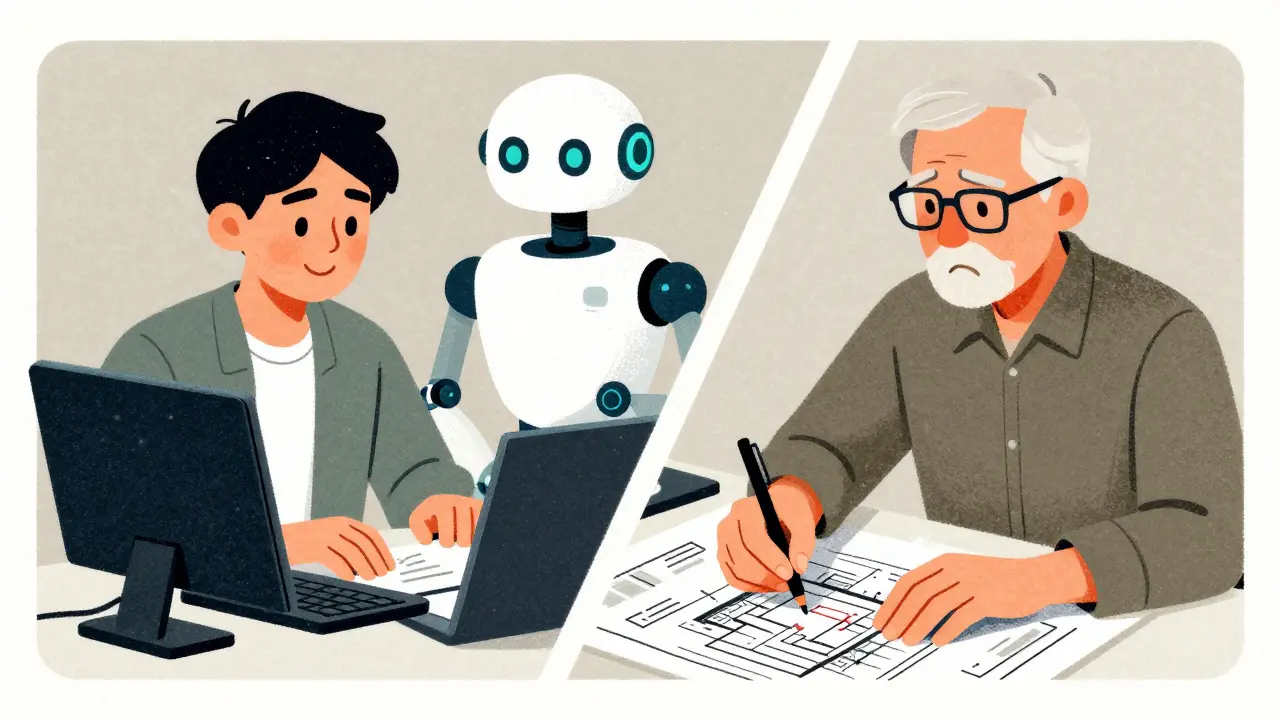
Not every developer gets the same boost from AI. Research shows clear disparities in adoption and effectiveness. Junior developers benefit significantly, with onboarding times dropping from three weeks to five days in some cases. They use AI to learn new frameworks, generate boilerplate, and understand error messages. For them, it’s like having a senior dev looking over their shoulder.
Senior engineers, however, face a different challenge. They’re less likely to need help with syntax and more likely to deal with complex architecture decisions. AI struggles here. It can’t read the room. It doesn’t understand business context or historical constraints. As a result, experienced devs often find themselves spending more time correcting AI mistakes than writing code from scratch.
There’s also a demographic gap. A Harvard Business Review study from August 2025 found female engineers adopted AI tools at 31%, compared to 52% for male counterparts. Engineers over 40 adopted at 39%, versus 68% for those under 30. This isn’t just about preference-it affects team dynamics. If half your team relies heavily on AI and the other half doesn’t, collaboration becomes harder. Code styles diverge. Review processes break down.
How to Implement AI Tools Without Breaking Your Workflow
If you’re planning to roll out AI coding assistants across your team, don’t just buy licenses and hope for the best. Implementation requires strategy. Here’s what works:
- Start with training, not access. Developers need 2-3 weeks to become proficient with prompt engineering. Teach them how to ask better questions, not just how to click “accept.”
- Set clear review protocols. Make it policy that AI-generated code must be reviewed by a human who understands the underlying logic. Don’t treat it as final.
- Use security scanning early. Integrate tools that check for vulnerabilities in real-time. Don’t wait until QA catches a flaw introduced by AI.
- Limit scope initially. Start with documentation, test generation, or boilerplate code. Avoid letting AI handle core business logic or authentication modules until you’ve built trust.
- Measure outcomes, not just activity. Track cycle time, bug rates, and deployment frequency-not just lines of code written. If bugs go up, slow down.
Many teams also adopt “AI-free Fridays” to prevent over-reliance. It sounds counterintuitive, but it helps maintain critical thinking skills and ensures developers don’t lose touch with fundamentals.
The Future: What’s Coming in 2026 and Beyond
The market is evolving fast. GitHub launched Copilot Workspace in September 2025, allowing end-to-end feature development from natural language prompts. Meta released Code Llama 3 with a million-token context window, enabling deeper understanding of entire codebases. Amazon is rolling out CodeWhisperer Enterprise with custom fine-tuning options.
Gartner predicts that by 2027, 50% of all code will be AI-generated. But McKinsey notes the long-term opportunity lies not in replacing developers, but in augmenting them-potentially adding $4.4 trillion in global productivity growth.
Regulations are catching up too. The EU AI Act now requires transparency around AI-generated code in critical systems. Expect more compliance requirements in 2026, especially in healthcare, finance, and government sectors.
The bottom line? AI coding assistants aren’t magic. They’re powerful tools, yes-but they amplify existing practices. If your team has strong code review habits, AI will make you faster. If you cut corners, AI will help you cut them faster. Choose wisely.
Do AI coding assistants really increase productivity?
It depends. Studies show mixed results: some developers complete tasks 25% faster, while others experience a 19% slowdown due to verification overhead. The key factor is experience level and task complexity. Junior devs benefit more; seniors may struggle with complex logic.
Are AI-generated codes secure?
Often, no. Nearly 48% of AI-generated code contains potential security vulnerabilities. Always run automated scans and enforce human review before merging any AI-assisted changes into production.
Which AI coding assistant is best for enterprise use?
GitHub Copilot leads in market share and broad compatibility. Amazon CodeWhisperer excels in AWS-heavy environments. Tabnine offers superior privacy with on-premises deployment, though it requires significant setup time.
How much does it cost to implement AI coding tools?
Beyond licensing ($10-$39 per user/month), expect to invest 80-120 hours in integration, security configuration, and team training. Prompt engineering proficiency typically takes 2-3 weeks per developer.
Will AI replace software developers?
No. AI augments developers rather than replaces them. It handles repetitive tasks and accelerates learning, but humans remain essential for architecture, security, business logic, and ethical decision-making.



om gman
11 June, 2026 - 09:34 AM
lol another article pretending to be nuanced while just regurgitating what everyone already knows about ai being broken
i mean sure it helps juniors write boilerplate but lets be real the seniors are just babysitting these digital toddlers now
and dont even get me started on the security stuff because obviously if you copy paste from github you gonna get hacked its not rocket science
Saranya M.L.
12 June, 2026 - 02:46 AM
Your dismissal of the structural implications of AI-assisted development is both intellectually lazy and dangerously reductive, ignoring the systemic risks associated with unverified code generation in production environments where security vulnerabilities can lead to catastrophic data breaches and significant financial liabilities for organizations.
While you may find humor in the concept of senior engineers verifying AI output, the reality is that this process introduces a layer of technical debt that compounds over time, eroding the maintainability of the codebase and creating a fragile infrastructure that is prone to failure under stress.
Furthermore, your suggestion that security issues are obvious oversimplifies the sophisticated nature of modern exploits that can be embedded within seemingly innocuous code snippets generated by large language models trained on public repositories containing known vulnerabilities.
Jeanne Abrahams
12 June, 2026 - 16:18 PM
Oh darling, please tell me you aren't actually using those tools for anything serious
In my experience managing teams across different continents, the only thing AI has successfully automated is the creation of mediocre documentation that nobody reads anyway
I suppose if your entire strategy relies on hoping the robot doesn't accidentally delete your database, then yes, maybe you should feel productive
Oskar Falkenberg
13 June, 2026 - 02:46 AM
i totally agree with the bit about needing better training before just letting everyone loose on the ai tools because ive seen so many teams struggle with this exact issue where they buy the licenses but dont really understand how to prompt effectively or review the output properly which leads to all sorts of weird bugs popping up later on down the line when you least expect them and then you spend weeks trying to figure out why something is broken when it was just bad ai code all along so yeah training is key definitely