
Running a large language model (LLM) in production isn’t like deploying a web app. You can’t just push code to a server and call it done. If you’ve ever tried to get a 70-billion-parameter model to respond in under a second, you know the challenge. The hardware, software, and architecture needed to serve LLMs at scale are unlike anything most engineers have dealt with before. This isn’t theoretical. Companies are doing this right now-every minute, across industries-to power chatbots, summarization tools, code assistants, and more. But if you skip the infrastructure basics, your LLM won’t just be slow. It’ll be expensive, unreliable, and unusable.
Hardware Isn’t Optional-It’s the Foundation
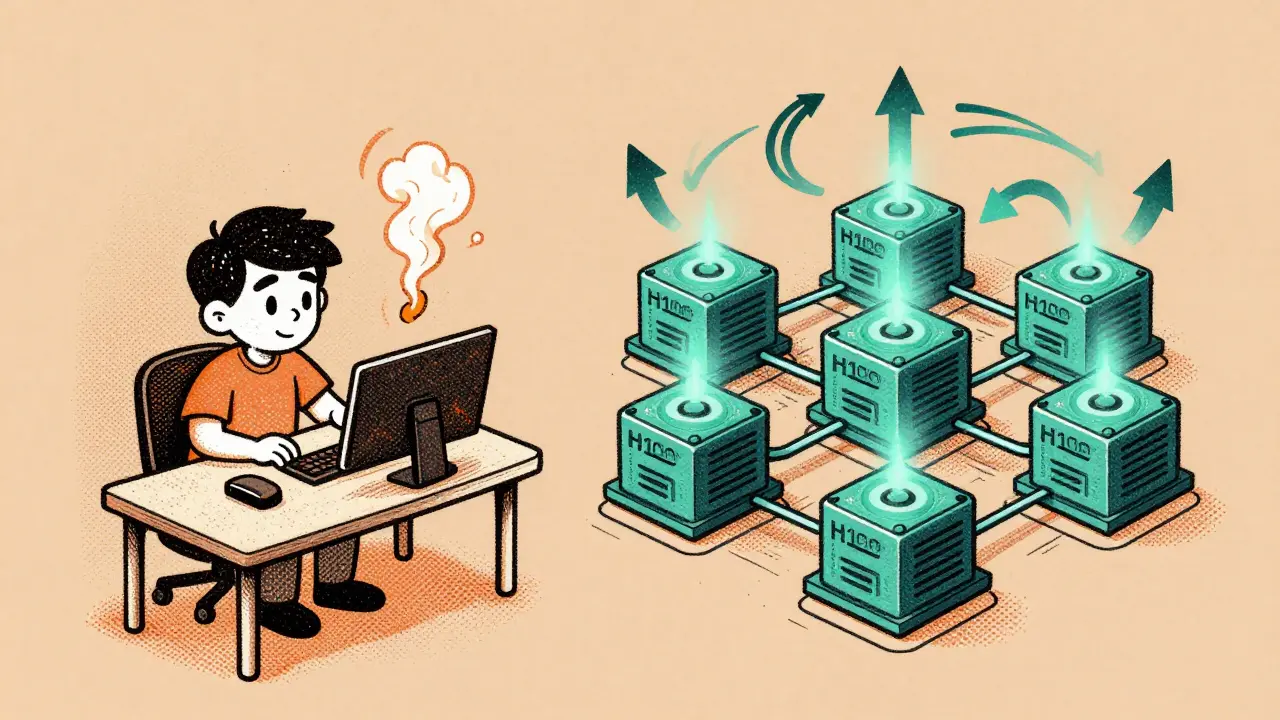
Let’s start with the obvious: you need powerful GPUs. Not just any GPU. We’re talking about NVIDIA H100s, A100s, or the newer Blackwell chips. A model like Qwen3 235B needs about 600 GB of VRAM to run at full capacity. That’s not a typo. You can’t fit that on one consumer-grade card. You need multiple high-end GPUs working together. For smaller models-say, 7B to 13B parameters-you might get by with 1 or 2 GPUs. But once you cross 40GB of model weights, you’re already into multi-GPU territory.
VRAM isn’t the only bottleneck. Memory bandwidth matters just as much. An H100 delivers 3.35 TB/s of bandwidth. An A100? Only 1.6 TB/s. That difference isn’t academic. It directly affects how fast your model can pull weights into memory during inference. If your bandwidth is too low, your GPUs sit idle waiting for data. You’ll pay for the hardware but get half the performance.
And don’t forget storage. Model weights aren’t small. A 70B model can be 140GB in FP16 format. You need fast NVMe drives-not just for loading the model, but for caching, logging, and handling temporary data during inference. Object storage like AWS S3 ($0.023/GB/month) is fine for backups, but active serving needs local NVMe ($0.084/GB/month). Tiered storage isn’t a luxury; it’s a cost-saving strategy. Keep hot weights on NVMe, archive cold ones in S3.
Software Stack: More Than Just Python
Running an LLM isn’t just about loading a PyTorch model. You need a full stack designed for inference, not training. Frameworks like vLLM and Hugging Face’s Text Generation Inference are now standard because they handle batching, memory optimization, and caching automatically. These tools let you serve dozens of requests simultaneously without crashing your GPU.
Containerization is non-negotiable. You’re packaging a 10GB+ model, specific CUDA drivers, and custom libraries into a single unit. Docker alone won’t cut it. You need to pin exact versions of NVIDIA drivers, CUDA, and the OS. One mismatch, and your container won’t start. Tools like Trivy should scan your images for vulnerabilities before deployment. No exceptions.
APIs are the front door. You’re not building a REST endpoint for a blog. You need low-latency, high-throughput endpoints that handle concurrent requests, timeouts, retries, and authentication. Frameworks like FastAPI or Triton Inference Server are common choices. But even the best API won’t help if your backend can’t keep up. That’s why autoscaling is critical.
Scaling: Dynamic, Not Static
Most teams make the same mistake: they provision for peak traffic and leave it running 24/7. That’s like keeping a jet engine running in your garage just in case you need to fly. The cost is insane. The solution? Dynamic scaling.
Kubernetes Horizontal Pod Autoscaler (HPA) is the industry standard. It watches metrics like request queue length, GPU utilization, and latency. When traffic spikes, it spins up more pods. When traffic drops, it scales down. Some companies reduce costs by 50% just by doing this right. Andrei Karpathy, former Director of AI at Tesla, put it simply: “Horizontal scaling with Kubernetes HPA is essential for handling variable LLM workloads while maintaining cost efficiency.”
But scaling isn’t just about adding more instances. It’s about batching. Instead of processing one request at a time, group 8, 16, or even 32 requests together. That’s what vLLM does. It fills the GPU’s memory with multiple prompts and runs them in parallel. This can boost throughput by 3x to 5x. You’re not just saving money-you’re making your users happier with faster responses.
Costs: The Real Killer
Let’s talk numbers. A single NVIDIA H100 server costs about $30,000. A cluster with 8 of them? $250,000. That’s just hardware. Add networking, cooling, power, and maintenance, and you’re over $500,000. Cloud providers make this easier but not cheaper. AWS SageMaker starts at $12/hour for a g5.xlarge (1x A10G). But if you’re running 10 of those 24/7? That’s $8,640/month. For enterprise-scale LLMs, monthly bills can hit $100,000 or more.
That’s why optimization isn’t optional-it’s survival. Quantization is the biggest lever. Cutting from 16-bit to 8-bit reduces memory use by half. Going to 4-bit? That’s 4x to 8x less memory. Models like Mistral 7B can run on a single consumer GPU with 4-bit quantization. The trade-off? A 1% to 5% drop in accuracy. For most applications, that’s acceptable. Neptune.ai found that enterprises using quantization cut infrastructure costs by 30-40% without noticeable quality loss.
Another trick: efficient batching and model pruning. Remove unused layers. Combine similar prompts. Use caching for repeated queries. One company reduced its monthly bill from $92,000 to $58,000 just by optimizing batching and enabling response caching. That’s $400,000 saved a year.
Hybrid Infrastructure Is the New Standard
Most companies don’t go all-in on cloud or on-prem. They split. This is called hybrid infrastructure-and it’s now used by 68% of enterprises, according to Logic Monitor’s January 2025 survey.
Why? Control and cost. Sensitive data stays on-prem. High-volume, unpredictable workloads run in the cloud. Edge deployments handle low-latency needs like customer-facing chatbots. For example, a bank might run its internal compliance LLM on a private cluster but use AWS for its public-facing FAQ bot. This gives them security, scalability, and cost control-all in one.
Third-party APIs (OpenAI, Anthropic) are tempting. GPT-3.5-turbo costs $0.005 per 1K tokens. But you lose control. You can’t fine-tune. You can’t optimize. And if the API goes down? Your product breaks. For mission-critical systems, that’s a dealbreaker.

Implementation: What No One Tells You
Most teams underestimate how long this takes. Setting up a production LLM pipeline isn’t a week-long project. It’s 2 to 3 months. The biggest hurdles? GPU memory allocation (78% of teams report this as their top challenge) and latency optimization (65%).
Here’s what actually works:
- Start small. Test with a 7B model on one GPU before scaling up.
- Build a sandbox. Test quantization, batching, and caching in isolation before touching production.
- Monitor everything. Track GPU utilization, memory usage, request latency, and error rates. Use Prometheus and Grafana.
- Implement health checks and auto-failover. If a node crashes, another should take over instantly. Aim for 99.9% uptime.
- Document your stack. Someone else will have to maintain this. Don’t assume knowledge stays in your head.
And don’t forget security. Your model is intellectual property. If someone steals it, you lose your competitive edge. Use encrypted storage, network policies, and access controls. Scan for leaks in your CI/CD pipeline. One company lost a fine-tuned model because a dev accidentally pushed it to a public GitHub repo. That’s not a technical failure. It’s a process failure.
What’s Next? The Future Is Here
LLM infrastructure is evolving fast. Vector databases like Pinecone and Weaviate are now standard for retrieval-augmented generation (RAG). Instead of relying on a model’s internal knowledge, you feed it real-time data from a database. This makes responses more accurate and up-to-date.
Frameworks like LangChain and LlamaIndex are turning complex workflows into simple pipelines. Want to search a document, summarize it, then generate a response? That’s now a few lines of code. Adoption jumped from 15% to 62% in just one year.
And then there’s hardware. NVIDIA’s Blackwell GPUs, launched in March 2025, offer 4x the performance of H100s for LLM workloads. This isn’t just an upgrade-it’s a game-changer. By 2026, Gartner predicts 70% of enterprise LLM deployments will use dynamic scaling, and 50% will rely on quantization.
But here’s the hard truth: if you’re still trying to serve trillion-parameter models with today’s infrastructure, you’re going to burn through cash. Experts like Dr. Emily Zhang at Stanford warn that without architectural breakthroughs, serving models that size will remain out of reach for all but the biggest tech firms.
The lesson? Don’t chase the biggest model. Chase the right infrastructure for your use case. Optimize for cost. Optimize for speed. Optimize for reliability. The rest is noise.
How much VRAM do I need to serve a 70B parameter LLM in production?
For a 70B parameter model in full precision (FP16), you need around 140 GB of VRAM. But most production systems use quantization-typically 4-bit or 8-bit-to reduce memory usage. With 4-bit quantization, you can run a 70B model on as little as 35-40 GB of VRAM. That means you can deploy it on a single NVIDIA H100 (80 GB) or two A100s (40 GB each). Without quantization, you’d need multiple high-end GPUs, making it prohibitively expensive for most teams.
Is it cheaper to use cloud APIs like OpenAI or self-host my own LLM?
It depends on volume. For low traffic (under 10K requests/day), cloud APIs are cheaper. GPT-3.5-turbo costs $0.005 per 1K tokens. But at scale-say, 1 million requests/day-that adds up to $5,000/day or $150,000/month. Self-hosting requires upfront hardware costs ($200K-$500K), but once deployed, the marginal cost per request drops to pennies. Most enterprises break even on self-hosting within 6-12 months. Plus, you gain control, privacy, and customization. If you’re building a product around LLMs, self-hosting is the long-term play.
Can I run a large LLM on a single consumer GPU like an RTX 4090?
Only with heavy quantization and small models. An RTX 4090 has 24 GB of VRAM. You can run a 7B model like Mistral or Phi-3 in 4-bit quantization-it fits easily. But a 13B or 70B model? No. Even with 4-bit, you’d need at least 35-40 GB for a 70B model. That’s beyond the capacity of any consumer card. You need professional-grade GPUs like A100 or H100. Don’t waste time trying to squeeze enterprise models into consumer hardware-it won’t work reliably.
What’s the biggest mistake teams make when deploying LLMs in production?
They treat it like a regular web service. LLMs have unique bottlenecks: memory bandwidth, GPU utilization, and latency spikes. Most teams provision static resources, skip quantization, ignore batching, and don’t monitor GPU memory usage. The result? High costs, slow responses, and crashes during traffic spikes. The fix? Start with dynamic scaling, implement 4-bit quantization, use batching tools like vLLM, and monitor every metric. Treat LLMs like a high-performance system-not a script.
Do I need Kubernetes to serve LLMs?
Not strictly, but you’ll regret not using it. Kubernetes gives you autoscaling, self-healing, rolling updates, and resource isolation-all critical for production LLMs. You can run a single model on a standalone server, but if traffic spikes or a GPU fails, you’re down. Kubernetes handles that automatically. Tools like KubeFlow and Ray integrate easily with LLM frameworks. For any team beyond a single developer, Kubernetes isn’t optional-it’s the baseline for reliability.
How long does it take to set up production LLM infrastructure?
Most teams need 2 to 3 months. The first month is spent choosing hardware, setting up containers, and testing quantization. The second month focuses on building the API, integrating autoscaling, and adding monitoring. The third month is for stress testing, security hardening, and documenting the pipeline. Rushing this leads to failures. Even experienced teams take this long. If someone says they can do it in two weeks, they’re either oversimplifying or skipping critical steps.
LLM infrastructure isn’t about having the most powerful hardware. It’s about knowing how to use what you have. The teams winning today aren’t the ones with the biggest budgets. They’re the ones who optimized for cost, speed, and reliability-step by step.




Scott Perlman
27 January, 2026 - 01:47 AM
This is the kind of post that makes you feel like you're finally getting somewhere. No fluff, just facts. I've been struggling with latency and now I know why.
Quantization is my new best friend.
Sandi Johnson
28 January, 2026 - 08:36 AM
Oh so you're telling me I didn't need to buy that 8x H100 rig because I was just too lazy to turn on batching? Wow. Thanks for the $250k life lesson.
Eva Monhaut
29 January, 2026 - 16:03 PM
The hybrid approach changed everything for us. We keep our compliance models on-prem where the lawyers can sleep at night, and let the public chatbot scream into AWS like it's at a rock concert.
Security, scale, sanity. All three. Rare combo.
mark nine
30 January, 2026 - 02:03 AM
vLLM is magic. Seriously. One pod, 16 requests at once, latency halved. No more begging GPUs to wake up.
Start with 7B. Test. Then scale. Don't skip the sandbox.
Tony Smith
31 January, 2026 - 21:04 PM
One must acknowledge that the assertion regarding Kubernetes as non-negotiable is not merely advisable-it is, in fact, a prerequisite for operational resilience in any enterprise-grade deployment. The absence of automated failover constitutes an unacceptable risk profile.
Rakesh Kumar
1 February, 2026 - 03:46 AM
Bro I tried running Llama 3 8B on my laptop with 16GB RAM and it crashed so hard my cat jumped off the table. Now I get why you need real GPUs. This post saved me from wasting another weekend.
Bill Castanier
2 February, 2026 - 09:49 AM
Don't forget to monitor GPU memory. Not utilization. Memory. Big difference.
Ronnie Kaye
3 February, 2026 - 11:34 AM
So let me get this straight-we're paying $100K a month to keep a giant brain awake so it can write emails for people who can't spell 'their'? And we call this progress?
Anyway, I'm deploying vLLM tomorrow. Wish me luck.