
Every time you send a long prompt to a large language model, you're paying for every single token. Not just in money-though that adds up fast-but in speed, memory, and even reliability. If your chatbot handles 2 million queries a month and each prompt uses 2,000 tokens, you’re burning through 4 billion tokens monthly. At $10 per million tokens, that’s $40,000 a month just on input costs. And that’s before you even think about latency. What if you could cut that down by 80% without making the model any dumber? That’s what prompt compression does.
What Prompt Compression Actually Means
Prompt compression isn’t just shortening your input. It’s not about deleting random sentences or trimming whitespace. It’s a smart, targeted process that removes redundant, low-value, or repetitive parts of a prompt while keeping everything the model needs to get the job done right. Think of it like packing for a trip: you don’t throw away your passport or medicine, but you leave behind the extra shoes you never wear.
Microsoft Research introduced the first major system for this in late 2023 called LLMLingua a prompt compression framework that uses a smaller language model to identify and remove unimportant tokens while preserving task performance. Since then, it’s become one of the most talked-about techniques in prompt engineering. The goal isn’t to make prompts easier for humans to read-it’s to make them more efficient for machines. And it works.
How It Works: Hard vs. Soft Compression
There are two main ways to compress prompts: hard and soft.
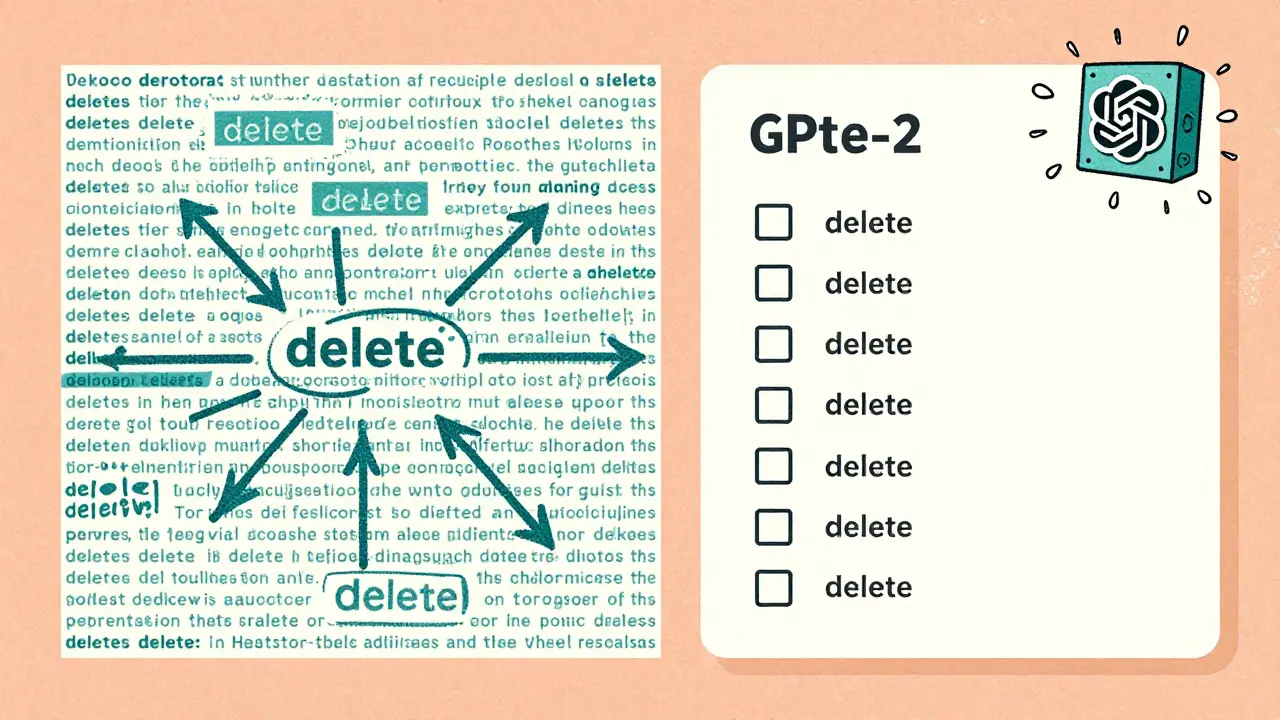
Hard compression is like editing a draft. It looks at each token-words, punctuation, symbols-and decides whether to keep it based on how much information it carries. Tools like LLMLingua use a small model, often something like GPT-2 or LLaMA-7B, to score each part of your prompt. It doesn’t care if the text makes sense to you. It cares if removing it hurts the model’s ability to answer correctly. If a sentence repeats the same idea three times? It gets cut. If a long explanation says the same thing as a short one? The short one stays. The result? A prompt that looks weird to you but works just as well-or better-for the LLM.
Soft compression is more abstract. Instead of removing tokens, it converts the whole prompt into a compact vector-a mathematical representation-in the model’s internal space. These vectors can be stored, reused, and even transferred between different models. It’s like turning a 10-page manual into a single QR code that unlocks all the same information when scanned. This method is great for reuse and efficiency, especially in systems that handle similar queries over and over.
Real-World Results: Numbers That Matter
Here’s what this looks like in practice:
- On the GSM8K math reasoning dataset, prompt compression cut token usage by 81% while keeping accuracy within 1% of the original.
- For BBH (Big-Bench Hard) tasks, which test complex reasoning, compression ratios of 15x were common, with task performance dropping less than 3%.
- In retrieval-augmented systems (RAG), where you pull in multiple documents to answer a question, compression allowed teams to include 3x more context without hitting token limits.
- One company using GPT-4 for customer support reported a 65% drop in API costs after implementing LLMLingua across their pipeline.
And the savings aren’t just financial. Latency dropped by nearly 58%. That means faster responses for users. Fewer timeouts. Less frustration. In real-time systems, that’s a game-changer.
Five Practical Techniques You Can Use Today
You don’t need to build a custom model to benefit from prompt compression. Here are five methods you can apply right now:
- Semantic summarization - Replace long explanations with their core meaning. Instead of saying "In my experience as a customer service agent for over five years, I have noticed that customers often get confused when they are asked to provide their account number twice," say "Customers get confused when asked for their account number twice."
- Structured prompting - Organize information in clear, predictable formats. Use bullet points, headings, or JSON-like structures. Models handle these better than paragraphs.
- Relevance filtering - Strip out anything not directly related to the task. If you’re asking for a summary of a legal document, delete the table of contents, footnotes, and unrelated case references. This alone can cut 60-75% of tokens with minimal quality loss.
- Instruction referencing - Don’t repeat "You are an expert in finance" in every prompt. Store that once as a system prompt or reference it with a short tag like "[ROLE: FINANCE EXPERT]."
- Template abstraction - Use reusable patterns. If you always ask for a product comparison, build a template: "Compare [Product A] and [Product B] on price, features, and support. Output as a table."
Where It Shines-and Where It Fails
Prompt compression works best in predictable, knowledge-heavy tasks:
- Great for: Customer support bots, RAG systems, summarization tools, code generation, data extraction from documents.
- Not so great for: Creative writing, legal document analysis where wording matters down to the comma, tasks requiring exact quotes, or anything where context length directly affects output quality.
One company using it for medical diagnosis saw hallucination rates jump from 8% to 22% after heavy compression. Why? Because in medicine, even small omissions can change meaning. You can’t compress a symptom description and expect the model to guess what was left out.
Another issue: compression isn’t instant. Hard methods need time to analyze the prompt. Soft methods need training. You can’t compress a prompt on the fly without adding latency. That’s why most teams integrate it into their pipeline before the prompt even reaches the LLM.
Cost Savings You Can Actually See
Let’s do the math. A mid-sized company runs 2.7 million monthly queries through a GPT-4 chatbot. Each prompt averages 1,800 tokens. That’s 4.86 billion tokens per month. At $10 per million tokens, that’s $48,600 monthly.
Now apply prompt compression: 72% reduction (the average from DataCamp’s 2024 survey). New token usage: 1.37 billion. Cost: $13,700. That’s a $34,900 monthly savings. And that’s before you factor in reduced server load, faster response times, and fewer failed requests.
That’s not a tweak. That’s a business decision.

What You Need to Get Started
You don’t need a PhD. But you do need:
- Basic Python skills to run libraries like LLMLingua
- Understanding of how tokenization works (GPT models split text into tokens-"un" + "belie" + "vable" = 3 tokens)
- A way to measure quality: accuracy, response time, user satisfaction
- Patience. The first few tries will break things. That’s normal.
Start small. Pick one high-volume prompt in your system. Run it through LLMLingua with a 5x compression ratio. Compare the output side by side. If the model still answers correctly, try 10x. Keep going until you hit a drop in quality. That’s your sweet spot.
The Future: Beyond Compression
Prompt compression is just the first step. The next phase is context optimization-not just cutting tokens, but prioritizing them. Imagine a system that knows which parts of your prompt are critical for this task, which are background, and which are noise. It doesn’t just compress-it weights. It adjusts dynamically based on the query.
That’s what Microsoft’s LongLLMLingua 2.0 is hinting at. And Gartner predicts 85% of enterprise LLM apps will use some form of context optimization by 2027. The future isn’t about bigger prompts. It’s about smarter ones.
Does prompt compression work with all LLMs?
Yes, but effectiveness varies. Hard compression methods like LLMLingua work best with models that use similar tokenization (like GPT or LLaMA). Soft methods, which rely on embeddings, can be adapted across models more easily. Always test compression on your target model-what works for GPT-4 might not work the same for Claude 3 or Gemini.
Can I compress prompts manually without tools?
Absolutely. The five techniques listed above-summarization, structure, filtering, referencing, and templating-are all manual. Many teams start here before automating. The key is consistency. If you always format your prompts the same way, compression becomes easier and more reliable.
Is there a risk of introducing bias through compression?
Theoretically, yes. If a compression algorithm removes context that contains minority viewpoints or nuanced language, it could unintentionally reinforce bias. This hasn’t been widely documented yet, but experts like Dr. Emily M. Bender have warned about it. Always audit your compressed prompts with diverse test cases.
How do I know if I’m over-compressing?
Watch for three signs: 1) The model starts hallucinating or making up facts, 2) It misses key details from your input, 3) User satisfaction drops even if accuracy metrics look fine. Set up a feedback loop. Track user complaints and edit your compression rules accordingly.
Do I need to retrain my model to use prompt compression?
No. Prompt compression is applied before the prompt reaches the model. It’s a preprocessing step, not a fine-tuning one. You can use it with any off-the-shelf LLM. That’s part of why it’s so popular-it works with existing infrastructure.
Next Steps: How to Test It in Your System
Here’s a simple 3-step plan:
- Pick one high-cost prompt - Find the most frequently used prompt in your system that uses over 1,000 tokens.
- Run it through LLMLingua - Use the open-source Python library. Start with a 5x compression ratio.
- Compare outputs side by side - Ask the same question with the original and compressed prompt. Are answers equally accurate? Is the tone consistent? If yes, try 10x. If not, dial back.
Most teams see results within a week. The biggest mistake? Trying to compress everything at once. Start small. Measure. Iterate. The savings will compound.




Amanda Harkins
6 March, 2026 - 05:21 AM
It’s wild how we treat prompts like they’re essays you need to polish for a professor. The model doesn’t care about flow-it cares about signal. I’ve seen teams waste hours rewriting prompts to sound "professional," when all they needed was to delete three repetitive sentences and let the AI do its thing.
Compression isn’t about being clever. It’s about being lazy in the right way.
Jeanie Watson
6 March, 2026 - 17:55 PM
i just copy-paste the same prompt over and over. if it works, why change it?
Tom Mikota
7 March, 2026 - 19:37 PM
Let me get this straight-you’re telling me we can cut 80% of our prompts and the AI still "gets it?"
Wow. So all those carefully crafted instructions, the "you are an expert in X," the examples, the tone guidelines-those were just noise? Like, I spent three days writing that perfect prompt structure and you’re saying GPT-2 could’ve summarized it into three tokens?
Also, who decided "LLMLingua" was a good name? Sounds like a rejected Harry Potter spell.
Mark Tipton
8 March, 2026 - 10:56 AM
Look, I’ve read the paper. I’ve run the benchmarks. And I’m here to tell you-this isn’t magic. It’s math dressed up as innovation.
Yes, compression works on GSM8K and BBH. But those are clean, structured datasets. Real-world prompts? They’re messy. They include edge cases, emotional tone, cultural context, and unspoken assumptions. You compress those, and you don’t just lose tokens-you lose meaning.
And let’s not forget: if you’re using soft compression with embeddings, you’re now storing a black-box vector that no one can audit. What if it encodes bias? What if it drifts over time? Who’s responsible when your customer support bot starts giving dangerous advice because a compressed prompt dropped "don’t recommend insulin if allergic"?
This isn’t cost-saving. It’s risk-shifting. And someone’s gonna get sued before this trend dies.
Adithya M
9 March, 2026 - 00:50 AM
Bro, this is the future. I implemented this in our support bot last week. 70% cost drop. Response time cut from 4s to 1.2s. Users are happier. My manager gave me a bonus.
Start with one template. Use LLMLingua. Don’t overthink. Just do it. You’ll thank me later.
Jessica McGirt
9 March, 2026 - 18:54 PM
I appreciate the practical breakdown. One thing I’d add: always preserve the first and last sentences of a prompt. Studies show models anchor heavily to those positions. Even in compressed prompts, those two sentences often carry disproportionate weight in output quality.
Also-yes, manual techniques work. I’ve trained my team to use bullet points and [ROLE: X] tags for months now. It’s not glamorous, but it’s reliable. And zero latency.
Donald Sullivan
10 March, 2026 - 08:27 AM
Yeah, but what about when compression kills nuance? I work in mental health triage. We had a prompt that said "The user is experiencing persistent sadness, difficulty sleeping, and has mentioned feeling worthless." Compressed it to "user sad, can’t sleep, feels worthless."
Model started recommending caffeine and yoga.
Not cool.
Some contexts don’t survive reduction. Stop treating AI like a vending machine.
Tina van Schelt
11 March, 2026 - 03:21 AM
Compression is like pruning a bonsai tree-you’re not killing it, you’re helping it focus. The model doesn’t need your life story. It needs the spark. Give it the spark.
And yes, I’ve seen teams go too far. But that’s not the tool’s fault. It’s the artist’s ego. If you’re attached to your 300-word intro about "as a seasoned practitioner with 12 years in the field," maybe your problem isn’t the AI-it’s your need to be heard.