
Refactoring a monolith used to mean days of clicking through files, praying you didn’t break an import path three directories deep. Then Cursor, an AI-powered code editor built on VS Code by Anysphere Inc., changed the game. Since its 2.0 release in late 2024, it hasn’t just suggested next lines; it’s coordinated changes across dozens of files simultaneously. If you’re staring down a legacy React or Python project and wondering how to actually leverage this without breaking production, you’re in the right place.
This isn’t about autocomplete. It’s about orchestration. We’ll look at how Cursor’s multi-agent architecture handles cross-file dependencies, where it still trips up, and the specific workflows that keep your diffs clean instead of chaotic.
The Shift from Single-File Autocomplete to Agent Orchestration
Early versions of Cursor were great at finishing your thoughts within one file. But real engineering happens across boundaries. When you rename a function in a utility module, every component importing it needs to know. Pre-2.0 tools struggled here because they lacked persistent state across files.
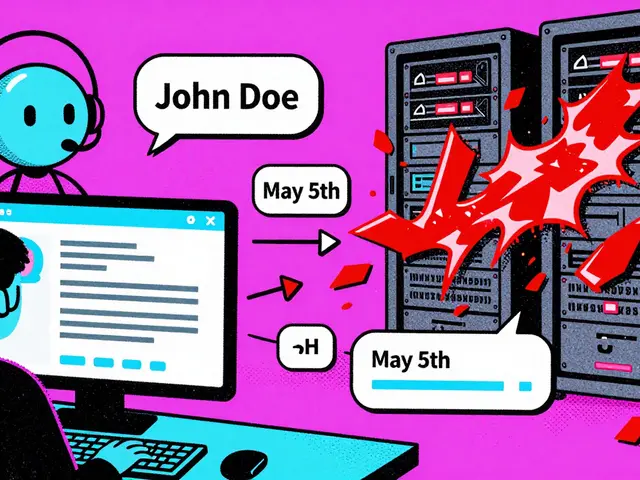
Cursor 2.0 introduced Composer, a proprietary coding model trained specifically for multi-file coordination. Instead of one AI trying to hold everything in memory, Cursor spins up independent agents-up to eight at once-each working in isolated Git worktrees. This means Agent A can refactor your API layer while Agent B updates the frontend components, all sharing context but not stepping on each other’s toes until the final merge.
| Feature | Cursor 2.0 | Aider | GitHub Copilot Workspace |
|---|---|---|---|
| Multi-Agent Support | Yes (Up to 8) | No (Sequential) | Limited/Persistent State Issues |
| Context Window | 128k Tokens | Variable/Limited | Contextual |
| Best For | Cross-file Refactors | Small Script Edits | Single Feature Tasks |
Setting Up Your Environment for Heavy Lifting
You don’t need a supercomputer, but you do need headroom. While the official minimum is 8GB RAM, benchmarks from late 2024 suggest that if your repo exceeds 50,000 files, you should aim for 16GB+. Why? Because Composer needs to index dependencies before it acts. Running out of memory mid-refactor leads to truncated context windows, which is exactly when the AI starts hallucinating imports that don’t exist.
Before you hit Ctrl+K or open Composer (Cmd+Shift+I), take five minutes to prep:
- Define Scope: Don’t ask Cursor to "fix everything." Ask it to "update all usages of `getUserProfile` to `fetchUserProfile` in the `/src/components` directory."
- Add Context Manually: Cursor tries to guess related files, but it misses indirect dependencies. Explicitly add files that might seem unrelated but are critical (like type definition files or global constants).
- Check Dependencies: Use the "Show Dependencies" view. Seeing the graph helps you understand what the AI sees.

The Workflow: How to Execute Safe Multi-File Changes
Here is the exact sequence that reduces error rates. I’ve seen developers skip steps and end up with broken builds. Don’t be that developer.
- Initiate with Composer: Open the Composer panel. This is different from the chat sidebar. Composer is designed for execution, not just conversation.
- Select Files: Add the primary files you want to change. Limit this to about 20 files per agent batch for optimal performance. If you have 100 files, split them into groups.
- Prompt Precisely: Instead of "rename this," say "Rename `oldVar` to `newVar` in these files, and update any corresponding test files." The more specific the instruction, the better the diff.
- Review Aggregated Diffs: Cursor will show changes from all agents in one view. Do not click "Apply All" blindly. Read the diffs. Look for logic errors, not just syntax changes.
- Apply Incrementally: You can accept changes per file or per agent. If one part looks risky, reject it while keeping the rest. The undo function works per agent, so reverting one agent’s work leaves others intact.
A common pitfall? Implicit dependencies. If File A exports a constant used by File B via a barrel export (index.js), Cursor might miss File B if the dependency graph isn’t explicit. Always double-check barrel files.
Where Cursor Still Struggles (And How to Mitigate)
It’s not magic. Dr. Elena Rodriguez from MIT noted that while Cursor improves practical refactoring, it lacks formal dependency analysis like TypeScript’s language server. What does this mean for you?
If you’re doing complex type system changes, Cursor might suggest valid-looking code that fails strict type checks. In my experience working on a C++ project, I found that highly interdependent changes requiring precise ordering-where dependencies aren’t declared in code-can lead to inconsistent states. One agent might update a header file, but another misses the implementation file because it wasn’t explicitly added to context.
Mitigation Strategy: Run static analysis after every major multi-file change. Treat Cursor as a junior dev who writes fast but needs code review. Never commit without running your linter and test suite.

Real-World Performance and Cost
How much time does this actually save? DevOps.com benchmarks showed multi-file refactors dropping from 5-10 minutes to under 30 seconds. That sounds too good to be true until you try it. I converted 150+ TypeScript class components to hooks in 20 minutes using Cursor 2.0. Manually, that was a two-day job.
But there’s a catch. Users report missing files in large codebases. One Reddit user complained about Cursor missing 12 out of 50 React components during a prop name change. So, while speed increases, verification time remains. Factor in 10-15% of your saved time for manual QA.
Cost-wise, the Pro tier at $20/month offers unlimited multi-agent operations. For enterprise teams, the $40/user/month tier adds custom deployment options. Given that 73% of enterprise teams implement strict verification protocols anyway, the ROI comes from speed of iteration, not just raw typing speed.
Tips for Power Users
Once you’re comfortable, try these advanced tactics:
- Use Git Worktrees Wisely: Let Cursor use separate worktrees for experimental refactors. If the AI goes off the rails, you can discard the entire worktree without touching your main branch.
- Batch Similar Changes: Group files by pattern. Do all "API endpoint updates" in one batch, then all "UI component updates" in another. Mixing concerns confuses the model.
- Leverage Custom Rules: Add a `.cursorrules` file to your root. Tell Cursor: "Always update tests when changing public functions." This primes the agent to include test files automatically.
The market is shifting. Gartner projects the AI-assisted coding market to hit $4.8 billion by 2026. Tools that handle cross-file dependencies effectively, like Cursor, are gaining ground against simpler autocomplete plugins. If you’re still manually updating imports across a microservices architecture, you’re leaving productivity on the table.
Does Cursor support Python and Java alongside JavaScript?
Yes, Cursor supports all major languages. However, its multi-file reasoning is strongest in statically typed languages like TypeScript and Go, where dependency graphs are clearer. For dynamically typed languages like Python, you may need to provide more explicit context to ensure accurate cross-file changes.
What happens if Cursor makes a mistake in a multi-file change?
You can revert changes per agent or per file. Since Cursor uses Git worktrees for isolation, you can also simply discard the entire workspace if the results are unusable. Always run your test suite before committing.
Is Cursor suitable for very large monorepos?
For repos over 100,000 files, Cursor can struggle with context limits. It’s best to scope changes to specific packages or modules rather than attempting repo-wide edits in one go. Breaking tasks into smaller chunks maintains accuracy.
Do I need to pay for the Pro plan to use multi-file features?
Basic features are free, but unlimited multi-agent operations require the Pro plan ($20/month). Free users have limited access to Composer and multi-agent capabilities, which can bottleneck heavy refactoring sessions.
How does Cursor compare to GitHub Copilot Workspace?
Cursor excels at local, interactive multi-file refactoring with immediate feedback. GitHub Copilot Workspace is more task-oriented and cloud-based. For rapid, iterative changes in a large existing codebase, Cursor’s local agent architecture often provides faster turnaround and better control.



Bonnie Watt
19 September, 2026 - 17:17 PM
oh please, another AI tool that thinks it's going to save us from ourselves. i've seen this movie before and the ending is always the same: more bugs, more cleanup, and a developer crying in the bathroom because the "smart" refactor broke a dependency graph that was perfectly fine five minutes ago. you don't need eight agents fighting over your git worktrees, you need basic competence and maybe reading the documentation instead of trusting a black box with your production code.
Art HND
21 September, 2026 - 03:48 AM
contrarian take but necessary. cursor isn't magic its just autocomplete on steroids. people forget context windows are finite. if you think 128k tokens solves complex architectural dependencies you're dreaming. static analysis beats vibes every single time
Amara Akbar
21 September, 2026 - 13:31 PM
I appreciate the detailed breakdown of the workflow, especially the emphasis on defining scope manually. It seems like many developers overlook the importance of explicit context when dealing with indirect dependencies or barrel exports. The advice to treat the AI as a junior developer who requires rigorous code review is particularly sound and aligns with best practices for maintaining code quality in large-scale projects. It is encouraging to see such a balanced perspective on both the capabilities and limitations of these new tools.
Meagan Mueller
23 September, 2026 - 01:14 AM
theyre watching us through the editor. why do you think they push updates so aggressively. its not about efficiency its about data harvesting. every keystroke every file index. dont trust the cloud. keep it local or dont use it at all. im paranoid? no im prepared.
Quintin Franzese
24 September, 2026 - 17:56 PM
ah yes, nothing says "productivity" like spending three hours debugging an import error that a human would have caught in three seconds. but hey, at least we can blame the AI for our own lack of understanding of how module resolution actually works. it’s truly a golden age for developers who prefer guessing games over logic puzzles.
Mark Harvey
26 September, 2026 - 13:47 PM
this is genuinely helpful for anyone stuck in legacy hell. the tip about using .cursorrules to auto-update tests is a game changer. saves so much mental load. keep iterating everyone you got this
Bonnie Watt
28 September, 2026 - 09:41 AM
oh look, another person defending the machine because they’re afraid of becoming obsolete. telling me to "keep iterating" while my codebase turns into spaghetti because the AI decided to rename a variable in a way that conflicts with a private method in a class I didn't even know existed is peak toxic positivity. you're not saving time you're just moving the pain to later.
Deb Kortyna, MBA
29 September, 2026 - 04:17 AM
It is imperative to note that the reliance on automated refactoring tools introduces a significant risk regarding semantic integrity. While speed is undoubtedly increased, the potential for subtle logical errors-particularly in dynamically typed languages where type safety is not enforced by the compiler-cannot be understated. One must exercise extreme caution; otherwise, one risks introducing regressions that may remain undetected until runtime. Proper verification protocols are not merely suggestions; they are mandatory requirements for professional engineering standards.
alex kobri
29 September, 2026 - 18:53 PM
i wonder if the real cost isn't money but cognitive offloading. when we let agents handle the cross-file coordination do we stop understanding the system architecture entirely. it feels like we are trading deep knowledge for shallow speed. maybe that's okay for now but what happens when the agent hallucinates a pattern that doesn't exist in the domain model. we might lose the ability to reason about the whole picture because we only see the parts the AI shows us
Brandon Olvera
30 September, 2026 - 15:39 PM
american tech leading the way again. glad to see US based innovation beating out those bloated enterprise solutions from overseas. keeps the jobs here too.