When you ask an AI chatbot a question, it doesn’t just answer you one at a time. Behind the scenes, thousands of requests are being processed together - not in a rigid line, but in a constantly shifting, dynamic pool. This is batched generation, and how it’s scheduled makes all the difference between a smooth conversation and a laggy, broken one.
Early LLM serving systems treated each request like a separate task. You sent one prompt, the GPU ran it, then moved to the next. Simple. But inefficient. GPUs are designed to crunch numbers in parallel. Sitting idle while one long prompt finishes? That’s like having a 10-lane highway with only one car driving. By 2021, researchers realized this wasn’t sustainable. With models like Llama, Mistral, and Qwen hitting production, companies needed to serve millions of requests per day without doubling their GPU costs. The answer? Continuous batching.
What Is Continuous Batching?
Traditional static batching groups requests into fixed-size batches and waits for all of them to finish before processing the next. If one request has a 500-token prompt and another has a 50-token prompt, the whole batch waits for the 500-token one. The GPU sits idle for 90% of the time. Continuous batching changes that. Instead of waiting, it lets each request progress independently. When a sequence finishes generating a token, it’s immediately removed from the batch. A new request - or part of one - is slipped in to take its place.
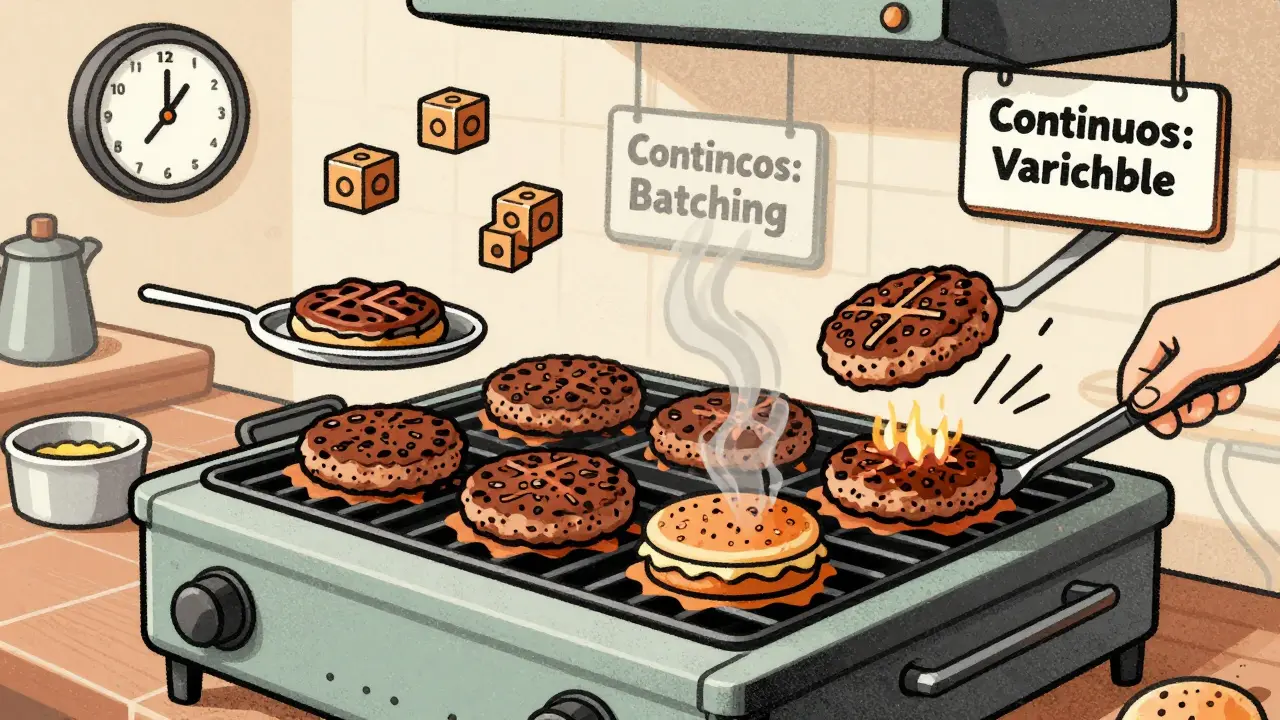
This isn’t just a tweak. It’s a fundamental shift. Think of it like a fast-food kitchen. Static batching is like cooking five burgers at once and only serving them when all five are done. Continuous batching is like cooking them one by one, but handing each one out as soon as it’s ready. The grill never stops. The line moves faster. That’s what’s happening inside your LLM server.
Framework like vLLM is an open-source LLM serving system that uses continuous batching and PagedAttention to dramatically improve GPU utilization is built around this idea. It doesn’t just batch requests - it keeps refilling the batch in real time. If a short reply finishes in 300ms, it grabs the next waiting request from the queue. No waiting. No gaps.
How Scheduling Decides What Goes Into the Batch
Not all batching is equal. The real magic - and the real complexity - lies in how requests are scheduled. There are three main approaches:
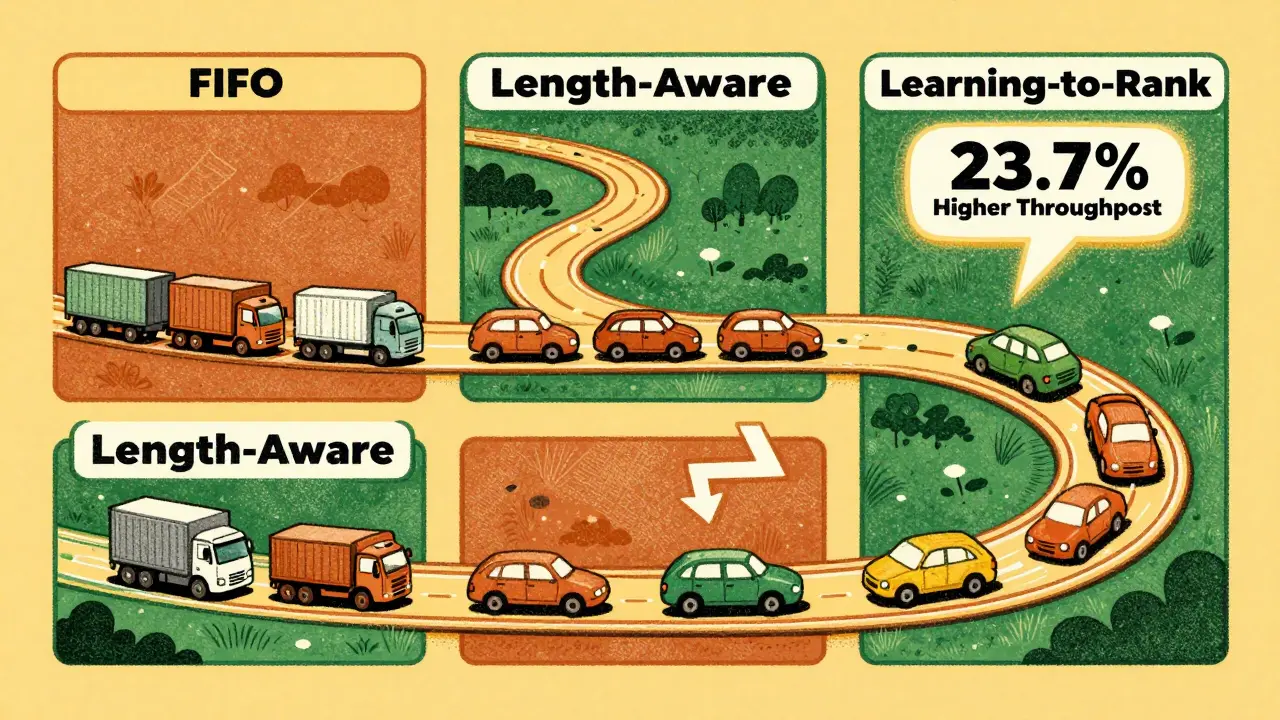
- FIFO (First In, First Out): Simple. Requests are processed in the order they arrive. Easy to implement, but terrible for efficiency. Long prompts block short ones.
- Length-Aware: Groups requests by similar prompt length. Better than FIFO. But it ignores how long the response will be. A short prompt might generate a 1,000-token reply - and still clog the batch.
- Learning-to-Rank: Uses machine learning to predict how long each request will take to generate. It looks at input length, past behavior, even semantic features. Then it picks the optimal mix of requests to fill the batch.
Research from UCSD’s Hao AI Lab shows learning-to-rank beats the others. On an NVIDIA A100 GPU, it achieves 23.7% higher throughput than FIFO and 18.2% higher than length-aware scheduling. How? By avoiding the trap of mixing a short prompt with a long-generation request. Instead, it pairs short-with-short and long-with-long. More GPUs are busy. Less idle time.
But here’s the catch: learning-to-rank isn’t free. It adds about 0.8 milliseconds of overhead per scheduling decision. For high-volume systems, that’s negligible. For small setups? Maybe not worth it. That’s why most production systems start with vLLM’s default - which uses a smart heuristic, not a full ML model - and only upgrade if they’re hitting scaling limits.
Memory Is the Real Bottleneck
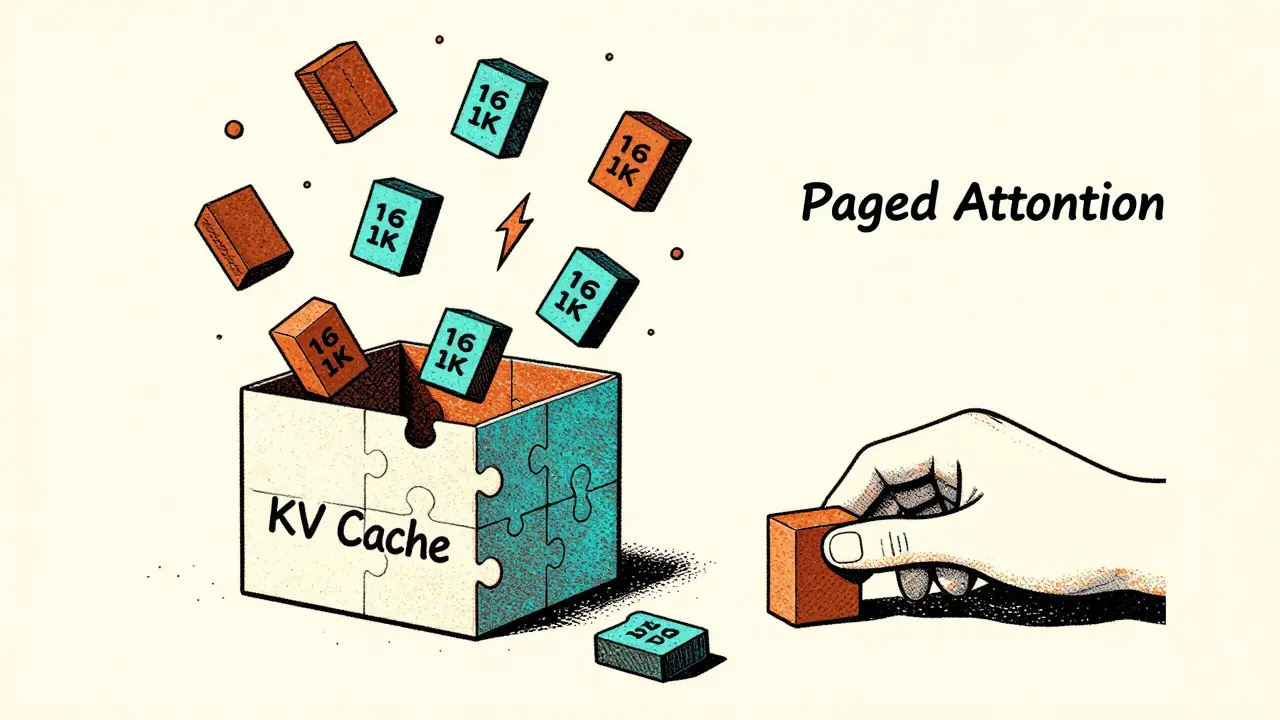
GPU memory isn’t just about how much RAM you have. It’s about how you use it. LLMs store key-value (KV) caches for every token they generate. If you’re running 200 requests at once, you’re storing 200 separate caches. Traditional systems allocate memory for each cache as one big block. That leads to fragmentation. Like trying to fit 200 puzzle pieces into a box, but each piece needs its own custom-shaped slot. You end up with wasted space.
PagedAttention - the innovation behind vLLM - solves this by breaking the KV cache into 16KB blocks. Think of it like virtual memory in your operating system. Instead of assigning one big chunk, the system assigns blocks as needed. If a request needs 128KB, it gets eight blocks. If another finishes early, its blocks are freed and reused immediately. According to UCSD’s June 2024 paper, this reduces memory fragmentation by up to 70%.
This is why you can run 256 sequences on a single A100 - something that would’ve crashed a year ago. It’s not more memory. It’s smarter memory.
Why Your Latency Feels Unpredictable
Have you ever noticed that sometimes your AI response comes back instantly, and other times it takes 3 seconds - even though the question was the same? That’s not a bug. It’s batching in action.
Because requests are constantly being swapped in and out, your request might be delayed while the system waits for a better batch composition. A user on the vLLM forum put it bluntly: “When you call LLM.generate(query_list) with 1,000 prompts, vLLM automatically batches the input sequences based on available GPU memory, but the dynamic nature makes it difficult to predict exact latency for individual requests.”
That’s the trade-off. Throughput goes up. Average latency goes down. But individual request latency? It becomes probabilistic. If you’re building a real-time customer service bot, this is fine. If you’re building a trading assistant that must respond in under 200ms every time? You need SLO-aware scheduling.
Enter SLAI (SLO-Aware LLM Inference). This approach doesn’t just care about throughput. It watches the clock. If a request is about to miss its deadline - say, 500ms - the scheduler gives it priority. It might even pause another request to make room. The result? 34% lower tail latency for the 99th percentile. That’s the difference between a user hanging up and a user staying engaged.
What’s Next: Adaptive Scheduling and Beyond
The next wave of innovation isn’t just about batching - it’s about rescheduling. The USENIX OSDI 2024 paper on Llumnix showed something revolutionary: moving requests between GPU instances on the fly. If one server is overloaded, it shifts a high-priority request to another node. That’s not possible with static batching. It requires deep integration with the infrastructure.
And then there’s Magnus - a system that predicts generation length using not just input length, but also application context and semantic features. In tests across ChatGLM-6B, Qwen-7B-Chat, and Baichuan2-7B-Chat, it cut average latency by 22.8% compared to standard continuous batching. How? It noticed that a user asking “Explain quantum computing” tends to generate longer replies than “What’s 2+2?” - even if both prompts are 8 tokens long. That’s the kind of insight you only get from real-world data.
By 2026, Gartner predicts 90% of production LLM systems will use some form of learning-based scheduling. That’s up from 35% in early 2024. The reason? The math is undeniable. Continuous batching with smart scheduling can boost throughput by 3x to 5x. For companies running thousands of LLM instances, that’s millions in saved cloud costs.
How to Set It Up Right
If you’re using vLLM or TensorRT-LLM, here’s what actually matters:
- Don’t send requests one at a time. Bundle as many as you can into a single
generate()call. The system can’t batch if you don’t give it enough to work with. - Set max_num_seqs to 256. That’s the default for a reason. Going higher risks memory overflow. Going lower wastes capacity.
- Watch max_num_batched_tokens. Default is 4,096. If your prompts are long, lower this. If they’re short, raise it. Test with your real data.
- Don’t try to build your own scheduler. Unless you have 10+ engineers and production traffic from 100k+ daily users, stick with vLLM’s defaults. The learning-to-rank model needs 10,000 labeled examples. That’s not something you collect overnight.
Most teams spend 2-3 days tuning these two parameters - and that’s it. The rest? The system handles it.
Who’s Using This Today?
Every major cloud provider has adopted continuous batching:
- AWS SageMaker added it in March 2024.
- Google Vertex AI rolled out optimized scheduling in April 2024.
- Azure ML launched dynamic batching in February 2024.
And enterprises? 78% of Fortune 500 companies now use batched LLM serving, according to Forrester’s May 2024 survey. It’s not a luxury anymore. It’s table stakes.
Open-source tools like vLLM (with over 3,800 GitHub stars) dominate startups and research. Cloud providers lead in enterprise adoption - because they bundle it with monitoring, scaling, and support. You can’t just install vLLM and expect it to run at scale. You need the whole stack.
But here’s the bottom line: if you’re serving LLMs in production and not using continuous batching, you’re leaving 60% of your GPU power on the table. Professor Hao Zhang from UCSD put it plainly: “Scheduling algorithms can make or break the economics of LLM serving.”
It’s not about faster GPUs. It’s about smarter scheduling.
What’s the difference between static and continuous batching?
Static batching groups requests into fixed-size batches and waits for all of them to finish before processing the next. Continuous batching lets each request progress independently - as soon as one finishes, a new one is added. This keeps the GPU busy and improves throughput by 3-5x.
Why does my AI response time vary even for the same question?
Because requests are dynamically scheduled. Your request might be delayed if the system is waiting for a better batch composition - like pairing short responses together. This improves overall throughput but makes individual latency unpredictable.
Is learning-to-rank scheduling worth the complexity?
Only if you’re serving high-volume traffic (10k+ requests per minute) and need maximum efficiency. For most teams, vLLM’s default heuristic is enough. Learning-to-rank requires collecting 10,000 labeled examples and adds 0.8ms overhead per decision - not worth it for small-scale use.
How does PagedAttention reduce memory usage?
PagedAttention breaks the key-value cache into 16KB blocks, like virtual memory in an OS. Instead of allocating one big block per request, it assigns blocks as needed. This cuts memory fragmentation by up to 70%, allowing more requests to run on the same GPU.
Which LLM serving frameworks use continuous batching?
vLLM, TensorRT-LLM, and Text Generation Inference are the main open-source frameworks. All major cloud platforms - AWS SageMaker, Google Vertex AI, and Azure ML - now include continuous batching in their managed services.
If you’re building an LLM-powered product, your next move isn’t upgrading your GPU. It’s optimizing how requests are scheduled. The difference between a sluggish system and a blazing-fast one isn’t hardware. It’s software. And it’s already here.




Ian Maggs
13 February, 2026 - 08:46 AM
Continuous batching isn’t just an optimization-it’s a philosophical shift in how we conceive of computation as a flow, not a sequence. We’ve been trained to think of tasks as discrete, bounded entities, but here, the system treats them as fluid, overlapping waves in a probabilistic tide. The GPU isn’t a factory line; it’s a tidepool, where each ripple informs the next. And yet-we still cling to FIFO like a security blanket. Why? Because we fear the chaos of true parallelism. We want certainty, but LLMs live in uncertainty. The real bottleneck isn’t memory or compute-it’s our own cognitive inertia.
Perhaps we should rename it ‘continuous becoming.’
Michael Gradwell
14 February, 2026 - 03:57 AM
Stop overcomplicating this. Just use vLLM and set max_num_seqs to 256. Done. Everyone else is wasting time with learning-to-rank and PagedAttention like it’s rocket science. It’s not. It’s software. You don’t need a PHD to run a server.
Flannery Smail
15 February, 2026 - 12:52 PM
Yeah but what if your prompt is just ‘hi’ and it still takes 2 seconds? That’s not batching, that’s just laziness. They’re trading throughput for user experience and calling it a feature. I’ve seen systems where a single ‘tell me a joke’ request gets queued behind 12 long-form essays. That’s not smart scheduling. That’s incompetence.
Emmanuel Sadi
16 February, 2026 - 08:29 AM
Oh wow look at this 3000-word essay on how to make AI faster. Meanwhile, 90% of people using this stuff are just pasting ‘explain quantum physics like I’m 5’ into a chatbot they found on Reddit. You think they care about KV cache fragmentation? No. They care if it answers before their coffee gets cold. This whole post reads like a grad student trying to justify their thesis with 17 acronyms. Congrats. You turned a simple problem into a conference paper.
Nicholas Carpenter
16 February, 2026 - 19:00 PM
I appreciate the depth here. This is exactly the kind of technical insight that moves the field forward. The real win isn’t just the 3x throughput-it’s that these systems are becoming more accessible. vLLM’s defaults are brilliant because they let small teams ship without needing a PhD in scheduling theory.
And PagedAttention? That’s one of those quiet innovations that doesn’t make headlines but changes everything. It’s like the invention of virtual memory all over again-just for AI. We’re not just making models faster. We’re making them more humane, by reducing wait times for real people.
Keep building. The world needs this.
Chuck Doland
17 February, 2026 - 01:01 AM
It is imperative to recognize that the paradigm shift toward continuous batching constitutes not merely a technical refinement, but a fundamental reconfiguration of computational resource allocation paradigms. The introduction of PagedAttention, by virtue of its block-based memory management analogous to virtual memory paging in operating systems, constitutes a monumental advancement in memory efficiency. This innovation, as documented by UCSD’s June 2024 research, reduces fragmentation by up to seventy percent, thereby enabling a proportional increase in concurrent inference sequences.
Furthermore, the adoption of scheduling heuristics-particularly those informed by empirical data on generation length-demonstrates a necessary evolution beyond static, length-based grouping. The empirical superiority of learning-to-rank methodologies, as evidenced by a 23.7% throughput gain over FIFO, is statistically significant and operationally decisive in high-volume environments.
It is therefore not merely advisable, but exigent, that practitioners adhere to the recommended configuration parameters for vLLM, particularly the maximization of max_num_seqs and the judicious tuning of max_num_batched_tokens. Deviations from these defaults, absent rigorous benchmarking, are likely to yield suboptimal performance and, in some cases, catastrophic memory exhaustion.
Moreover, the assertion that ‘the difference between a sluggish system and a blazing-fast one isn’t hardware. It’s software’ is not merely correct-it is foundational to the future of scalable AI infrastructure. The era of brute-force scaling is over. The future belongs to elegance, precision, and intelligent orchestration.